
 Call us at (877) 892-8249

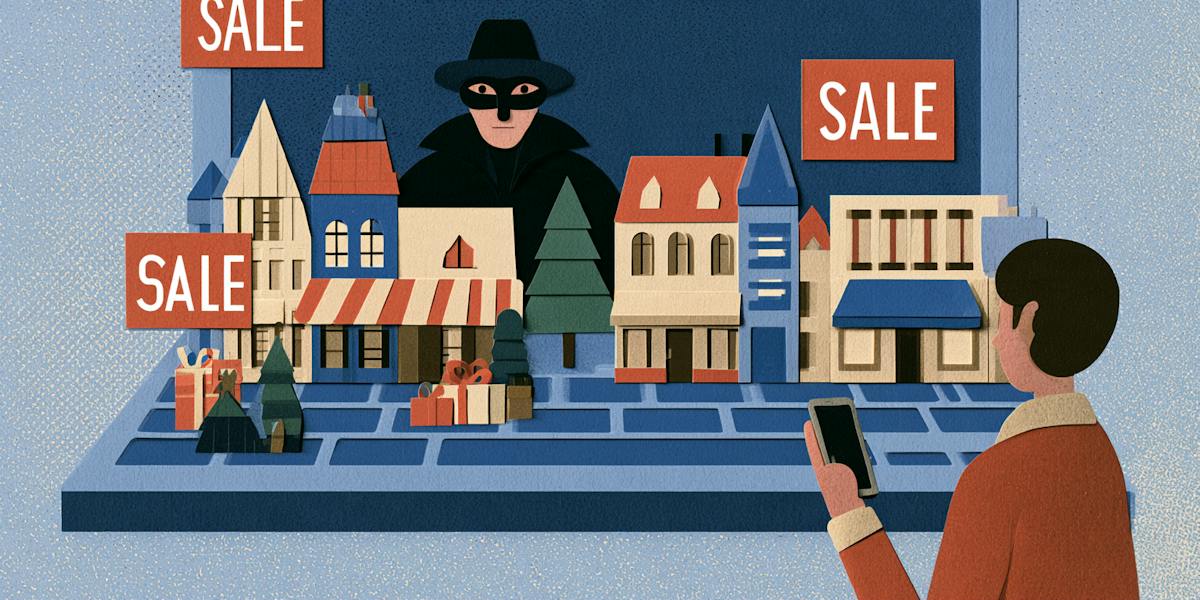
It’s 11 p.m. You’re still three gifts short, a dozen packages are in transit, and your phone buzzes with a text saying something like, “There’s a delivery problem, tap to fix.” On a quiet Tuesday, you’d squint at that text. In December, plenty of us might just tap.
Scammers count on that reflex. That’s why they put up bogus online stores that can look as polished as the real ones, text you from what looks like your carrier, and nudge you to pay in ways that are hard to undo. By the time something feels off, your money or personal information may already be gone.
This guide covers the red flags worth knowing this season, which payment methods leave you with the least protection, and what to do if you’ve already clicked or paid.
Key takeaways
- Shoppers juggle a lot around the holidays, and scammers know it. If you get a message rushing you to act, that’s reason enough to stop and look again before you click and pay.
- A “package delayed” text is believable when you’re waiting on a few orders to show up. Don’t tap the link. Instead, look up your order on the store’s official website.
- Paying with a credit card gives you a way to dispute a charge. Use payment apps and gift cards for people you know, not strangers trying to sell you something.
- The basics aren’t flashy, but they help a lot. Give every account its own password, turn on two-factor authentication, keep your phone and computer updated, and check your statements often.
- If you do get scammed, don’t sit on it. Call your card issuer or payment app first, save every screenshot and receipt, then report it to the platform and the Federal Trade Commission (FTC).
What are online shopping scams?
Online shopping scams happen when criminals use fake websites, imposter ads, or phony messages to take your money or personal information. Often, you pay, and nothing ever arrives.
The holidays make this easy to pull off. Adobe expects Americans to spend a record $275.1 billion online in November and December alone. That much traffic gives scammers plenty of room to blend in, and the FTC says consumers reported losing $15.9 billion to fraud of all kinds in 2025. The clearest warning sign is a hurry-up paired with a payment method request that feels off, like cryptocurrency or a wire transfer.
How exposed is your personal information?
Take our free risk quiz to see where your data may be exposed online.
Take the Risk Quiz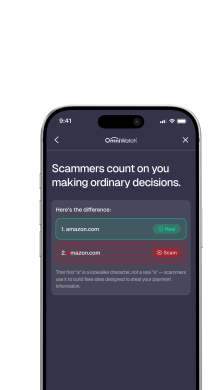
What are the biggest red flags this holiday season?
Five red flags often turn up during holiday shopping:
Fake delivery texts
You get a text saying your package is delayed or there’s a small fee, so tap here to sort it out. That’s smishing, a type of phishing (a scam to steal your personal or financial information) that arrives by text message. Smishing tends to spike around the holidays, according to AARP.
Bogus tracking links
The U.S. Postal Service (USPS) only sends texts about a package if you’ve asked for updates, and those texts don’t have a link in them. So a link in a message you never requested is the trap. It can send you to a page that looks legit but may capture your passwords and card numbers.
Gift card payment requests
A seller or “support agent” insists you pay with gift cards, then asks you to read them the numbers on the back. Scammers may tell you which gift card to buy and which store to go to. The FTC’s advice is simple: if anyone tells you to pay with a gift card, assume it’s a scam.
Lookalike sites and imposter ads
An ad on social media or in your search results shows a brand you know at a steep discount, then sends you to a site with a slightly misspelled web address. Scammers now pay for ads that impersonate real businesses, according to the FTC.
Unrealistic doorbuster deals
A popular gift is 70% (or more) off, or a store claims to have a sold-out item that everyone else ran out of. Fake stores often add countdown clocks and pop-ups claiming other shoppers just bought the item to create urgency.
Shopping online this season?
Holiday shopping means more orders, more accounts, and more places your information can end up. Take the free OmniWatch risk quiz to find out where your personal data may be exposed.
Take the Free Risk QuizWhat about marketplace and resale scams?
Resale platforms like Facebook Marketplace and OfferUp share the same warning signs, and scammers target both buyers and sellers.
Each platform has its own tricks, and our guides to online marketplace scams, Facebook Marketplace scams, and OfferUp scams cover them in detail. If you plan to buy or sell secondhand this season, start with the guide that matches your platform.
Are specific retailers or apps more risky?
A store or app’s risk depends on who runs it, how it handles your data, and whether scammers can copy its name. Even household names get impersonated. Amazon is among the most commonly impersonated businesses, with fake texts, emails, and lookalike websites borrowing its name. So it helps to know whether Amazon texts are safe.
We’ve also looked at two other sites in detail. Find out whether DHgate is safe and whether SHEIN is legit before you shop.
Is it safe to pay with Venmo, Zelle®, or a gift card?
Paying a friend with Zelle® and Venmo is usually fine. Paying a stranger is riskier because these payments work more like handing over cash than swiping a card.
Zelle® says you can’t reverse payments once the recipient is enrolled, which is why it encourages users to send money only to those they know and trust.
Venmo protects only eligible purchases. Our guide on whether Venmo has purchase protection explains exactly what counts.
Finally, gift cards are for giving, not for paying sellers. The FTC cautions against paying someone who says you can only pay with one.
If a seller pushes you toward any of these, a credit card offers stronger protection.
Need help with scams before and after you pay? View OmniWatch plans to see what scam protection is included.
How can you shop safely this season?
Run through this checklist before you start shopping, and again as your orders arrive:
Go straight to the store. Type the retailer’s web address yourself instead of clicking an ad or an unexpected link.
Pay with a credit card. Federal law limits your losses from unauthorized credit card charges, and a card lets you dispute a transaction if your order never arrives.
Read the return policy before you buy. Check how many days you have to return an item, who pays for return shipping, and whether there’s a restocking fee. A reputable store will answer your questions about its policies.
Share only what the store needs. To complete an order, a retailer should need only your billing information and shipping address. Its privacy policy tells you how it uses and shares your data.
Use long, unique passwords. Each account should have its own password of at least 12 characters, and a password manager (an app that creates and stores passwords for you) can do the hard part.
Turn on two-factor authentication. This adds a second login step, like a code sent to your phone, so a stolen password isn’t enough for scammers to get in.
Keep your devices updated. Install software updates on every device you use to shop, or turn on automatic updates.
Buy gift cards from the source. Choose a store or the retailer’s own website, since discounted cards sold elsewhere may be expired or may never arrive.
Track packages on the official site. Skip links in unexpected texts, and enter your tracking number on the carrier’s or store’s website instead.
Save your receipts and check your accounts often. Review your credit card and bank activity regularly, and report any charge you don’t recognize right away.
These steps should take only a few minutes, and they make it much easier to catch problems early.
What should you do if you’ve already been scammed?
If you’ve paid a scammer or shared any personal information, act as soon as you can. Your money may already be gone, but it’s still worth seeing if you can get it back.
Here are the steps to take:
Contact the company you paid through. If you paid by card, call your card issuer or bank (the phone number should be on the back of your card). Say a scammer tricked you or used your card without permission, and ask for a refund. If you used a payment app or a gift card, contact the app or the gift card issuer instead.
Take screenshots of everything. Save the listing, messages, receipts, emails, the seller’s profile or phone number, and any order or confirmation numbers. This way, you have proof when you report it.
Stop replying to the scammer. Don’t send more money or information, even if they keep messaging you.
Report it to the platform. Flag the seller’s account or listing on the marketplace, store, or social media app where you found it.
Report it to the FTC. File a report at ReportFraud.ftc.gov. Reporting helps even if you can’t get your money back. It gives the FTC information to build cases against scammers and spot trends.
Lock down your accounts. If you shared a login, create a new strong password, change it anywhere you reused it, and turn on two-factor authentication.
Stay secure with OmniWatch
To shop this season with more confidence, check a suspicious link, text, or screenshot in OmniWatch’s Scam Protection Center before you click or buy anything. If a scam still gets through, OmniWatch also offers U.S.-based fraud specialists and scam insurance plans to help you take the right steps toward recovery.
Frequently asked questions
What shopping websites are scams?
There’s no master list of scam shopping websites, so watch for the warning signs. Prices far below what other stores charge, web addresses that are off by a letter, and missing contact details are red flags. So is a demand to pay by gift card, wire transfer, or cryptocurrency.
What are some common online selling scams?
Common online selling scams include fake check overpayments, fake payment alerts, and buyers who ask for your verification code. With an overpayment, a “buyer” sends a check for too much and asks you to return the difference. Weeks later, the bank discovers the check was a counterfeit, and you’ve lost both your item and your cash.
What are the newest online shopping scams?
The newest online shopping scams are AI-built lookalike stores, fake “card declined” errors, and QR codes in packages you never ordered. In the “card declined” trick, a bogus site says your payment failed but charges your card anyway. Scanning QR codes can take you to fake sites that steal your passwords and card numbers.
What are three signs a website is trustworthy?
Three signs a website is trustworthy are a correctly spelled web address, clear contact details, and a clean track record when you search the store’s name with the words “scam” or “complaint.” A padlock icon or “HTTPS” only means your connection is encrypted (protected from snooping), not that the store is legitimate.
Why am I getting packages I didn’t order?
You’re likely getting packages you didn’t order because of a brushing scam. A scammer mails you a cheap item to show it was delivered, then uses your name to post fake reviews about their business. It can also mean someone has, or is after, your personal information, so change your shopping passwords.

This guide is published by OmniWatch, an identity and scam protection company. Follow OmniWatch on LinkedIn for ongoing guidance on identity protection and digital safety.
Sources
Adobe, “U.S. Holiday Shopping Season to Hit Record $275.1 Billion Online, Rising 6.7% YoY.”
Federal Trade Commission (FTC), “The Rising Scam Economy: Modernizing Federal Approaches to Protect Americans from Foreign Fraudsters.”
U.S. Postal Inspection Service, “Smishing: Package Tracking Text Scams.”
Federal Trade Commission (FTC), “How To Avoid a Scam.”
Federal Trade Commission (FTC), “Tell the FTC about imposter ads online.”
Federal Trade Commission (FTC), “Amazon tops list of impersonated businesses.”
Zelle®, “Zelle® Help Center.”
Venmo, “Buying and Selling on Venmo FAQ.”
Federal Trade Commission (FTC), “New tools to fight gift card scams.”
Federal Deposit Insurance Corporation (FDIC), “Banking on the Holidays.”