
 Call us at (877) 892-8249
This article was created in partnership with OmniWatch, who compensated me for my time and writing services. While they covered the cost of my time, all opinions and recommendations in this article are completely my own.
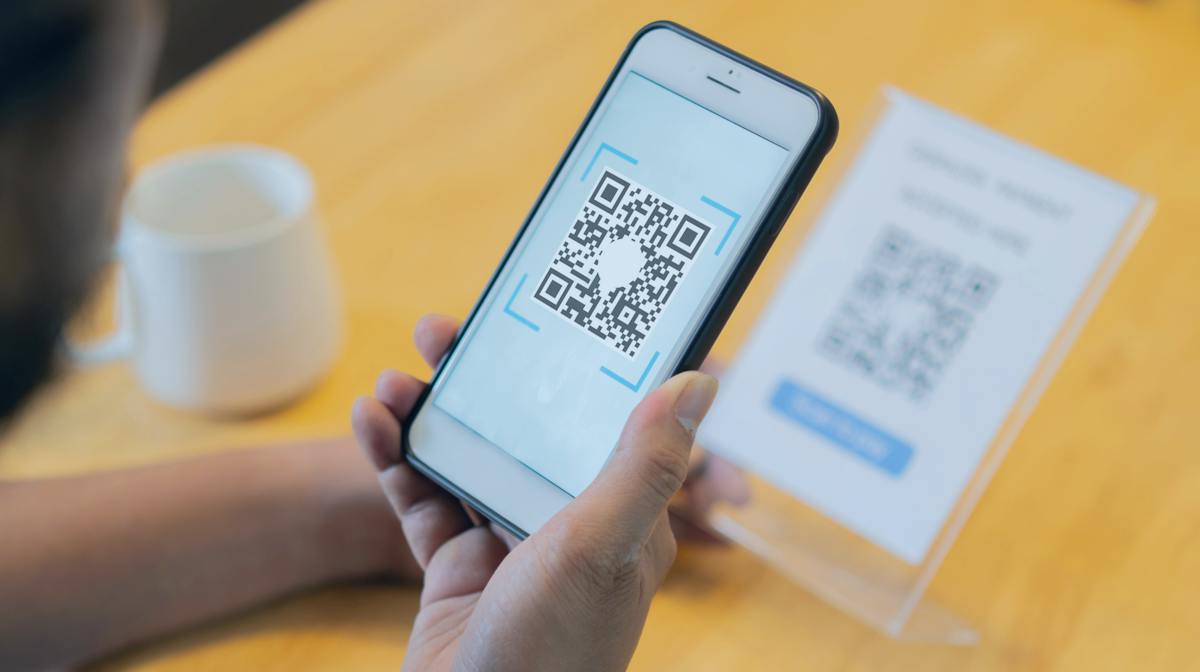
You’re standing at a parking meter, phone out, ready to scan and pay. Or maybe you just sat down at a restaurant table where the menu is a small square of black-and-white pixels taped to a stand. Scanning a Quick Response (QR) code has become second nature, so you point your camera and tap away.
This can be risky because unlike a web link, a QR code doesn’t show you where it’s taking you until after you’ve scanned it. Scammers have been hiding malicious codes behind legitimate ones to con people.
The good news is you don’t have to scan blind. OmniWatch’s QR-scan tool checks where a code leads before you do. Below, we’ll explain how quishing (short for QR code phishing) scams work, where fake codes are showing up in 2026, and what to do if you already scanned one.
This year, fake QR codes are turning up on parking meters, in phishing emails standing in for a regular link, and in texts about a traffic ticket with a small “fee.”
Key takeaways
- QR code scams prey on a blind spot. You can’t clearly see where a QR code goes until you’ve scanned it.
- Quishing has become common in 2026. You may find fishy QR codes on parking meters, in traffic-ticket texts, and even in targeted email attacks.
- A fake QR code usually leaves a clue. If a code looks tampered with, or the page it opens feels off, err on the safe side and close out.
- Already scanned something suspicious? Don’t beat yourself up—disconnect your device and change your passwords before you do anything else.
- Standard insurance policies rarely cover QR code scams. Since you technically authorized the transaction, banks generally won’t reimburse you, but OmniWatch’s scam protection insurance may be able to help.
What is a QR code scam (“quishing”), and why is it different from a normal phishing link?
A QR code scam is a type of fraud where someone hides a malicious link inside a QR code instead of taking you somewhere safe. This tactic, known as quishing, caught the Federal Trade Commission (FTC)’s attention in December 2023, when the agency warned that scammers were sticking fake codes over real ones, or tucking them into texts and emails to trick people out of their information.
It works a lot like regular phishing, but with one key difference: what you’re able to see before you act. A phishing email at least shows you the full link in plain text, so you can take your time to examine it before clicking. With a QR code, your phone shows a banner with the link after you scan it. But it’s easy to miss, and most people don’t even know to check.
Why does hiding the destination URL matter so much?
A destination URL is the web address a link takes you to. With a normal link, you can hover over it with your mouse, or press and hold it on your phone, to see that address before you click.
Say a text claims to be from your bank. If it includes a regular link, you might notice it points to something obscure like “bank-secure-login.net” instead of your bank’s real website, and back out before harm is done.
A QR code makes that same due diligence much easier to skip. Your phone previews a link’s address after you scan, but people often tap it out of habit without seeing where it leads.
Where are fake QR codes showing up in 2026?
Fake QR codes are showing up in public spaces, text messages, and even packages left at doorsteps.
Here’s where you may run into one in 2026:
1. Parking meters and public codes
Parking meters have become a favorite target. Drivers scan expecting to pay for parking, not realizing a scammer’s sticker is sitting on top of the real code.
This instance happened in New York City in June 2025, and the city’s Department of Transportation issued a consumer alert after finding a bogus sticker on a ParkNYC meter that sent people to a third-party site asking for credit card details.
This trap costs you twice. You hand over your card details to a scammer, and since the real meter never receives your payment, you’re also responsible for a parking ticket. The same tactic shows up on public transit kiosks and ticket machines (places people are used to scanning a code and paying without thinking twice).
2. “Unexpected package” and brushing-scam codes
If a package you never ordered shows up at your door, be careful with any note tucked inside. In the FTC’s package QR alert, issued in January 2025, an unexpected package arrives with a note claiming it’s a gift, along with a QR code you’re told to scan to find out who sent it or how to return it. Scanning it can lead to a phishing site or install malware, handing scammers your personal information either way.
Unsolicited packages like this are often part of a scheme called a brushing scam, where sellers mail cheap items to real addresses so they can post “verified purchase” reviews under your name to boost their ratings. You’re allowed to keep or toss anything that shows up uninvited, but the FTC advises never scanning codes.
3. Fake traffic-ticket and delivery texts
Fake QR codes are also appearing in texts, not just on physical stickers.
In the FTC’s traffic-ticket QR alert, issued in April 2026 after a spike in reports, the agency described texts featuring an official-looking traffic violation notice, complete with a state seal and a made-up case number. The message tells you to scan a QR code to pay the fee or go to court, and threatens fines or enforcement action if you don’t act now.
Package delivery texts use a similar trick. You might get a text saying your package couldn’t be delivered, or that you owe a fee to fix your address. It looks like it’s from a courier like the United States Postal Service (USPS) or a retailer like Amazon. And instead of a link to click, there’s a QR code to scan.
In both cases, the QR code does the same thing. It skips the scrutiny a normal link would get and sends you to a fake payment page designed to steal your money, passwords, or identity details.
4. Targeted email campaigns
Quishing isn’t limited to random consumer scams. It’s also being used for serious cyber-espionage.
In January 2026, the Federal Bureau of Investigation (FBI) issued an alert warning that a North Korea-linked hacking group had been sending spear-phishing emails with embedded QR codes to think tanks, academic institutions, and government organizations. The emails posed as advisors or embassy contacts and asked targets to scan a code to fill out a questionnaire or access a secure file.
Emails usually arrive on a work computer. But scanning that QR code means switching to a phone to do it. That phone won’t have the same protections as a work computer—no IT team watching it, no company firewall. That’s why scammers ask you to scan instead of click. Once you land on the fake login page, it can look convincing enough that even careful people get conned.
How can you tell if a QR code is fake?
A few measures can help you catch a fake QR code:
Look for tamper signs. Run your finger over the code. A raised edge, a peeling corner, or a crooked sticker sitting on top of a sign suggests someone placed it there after the fact.
Preview the QR code first. Your phone’s camera should show the web address when you hover over it. Check it for typos, odd extensions, or a shortened link before you tap through.
Question unexpected requests. Something as simple as a menu code shouldn’t be asking for a password or card number. If it does, close out.
What should you do before you scan?
Before you scan a QR code, take a second to gut-check with three questions:
Where did this code come from? If it showed up in a random text, email, or flyer you weren’t expecting, treat it with suspicion.
Does this add up? A code that suddenly wants you to pay a bill, verify an account, or fix some urgent problem out of nowhere is worth a second look.
Is there another way in? If the code is for a payment or login, you should type the business’s website directly into your browser instead.
For extra certainty, OmniWatch’s QR-scan tool lets you check a code before you tap it. Open the OmniWatch app, head to the Scam Protection Center, and scan the code. It’ll flag the risk of URLs and scam sites before you land on the page.
What should you do if you already scanned a suspicious code?
If you already scanned a code and something doesn’t feel right, don’t panic.
Here’s what to do, in order:
Disconnect your device. Turn off Wi-Fi and cellular data to stop anything from downloading or sending information in the background.
Run a malware scan. Use a trusted security app to check your phone for anything that shouldn’t be there, and delete unfamiliar files or apps.
Change your passwords. If you entered a password or login on the fake site, update it immediately, along with any other account using that same password. Turn on two-factor authentication while you’re at it.
Monitor your accounts. Watch your bank and email accounts for unusual charges, login alerts, or password reset emails you didn’t request.
Freeze your credit with Equifax®, Experian®, and TransUnion®. This stops scammers from opening new accounts in your name. You can lift it later when you need to.
Report it. File a report with the FTC at reportfraud.ftc.gov, and contact your local police if you gave money or personal information.
Did you enter sensitive information on a phony site?
If yes, it’s worth checking what’s already out there. OmniWatch’s dark web scan checks your email against known data breaches, so you can see what may be exposed and what to do next.
Run a free dark web scanDoes insurance cover a QR code scam?
If you lose money to a QR code scam, don’t count on your standard insurance policy to bail you out.
Federal law requires banks to look into and reimburse you for unauthorized transactions, like a stranger hacking into your account without you knowing. But you generally need to report it promptly to get full protection.
A QR code scam works differently. Say you scan a fake code on a parking meter and enter your card number on the site it opens. You typed in your information and hit submit, so even though a scammer tricked you into it, the bank sees a transaction you authorized. Since this situation is technically not a break-in, the bank is unlikely to reimburse you.
That’s where OmniWatch’s scam protection insurance comes in. Every plan includes scam reimbursement coverage, and each plan splits the total between scam coverage and ransomware coverage.
The Standard plan offers $50,000 total, split between $25,000 for scams and $25,000 for ransomware. The Elite plan doubles that to $100,000 total, split evenly between $50,000 for scams and $50,000 for ransomware. The Family plan mirrors Elite’s coverage but extends it to two adults, for $200,000 total.
Every plan also includes support from U.S.-based scam expert agents who help you through the claims process. See our insurance disclosure page for full policy details.
Those amounts are the most you can be reimbursed, even if your loss is larger. Coverage eligibility and limits also vary by state, and New York residents have their own set of limits to be aware of. When you file a claim, you’ll need to show documentation of what happened.
Frequently asked questions
Is it safe to scan a QR code at a restaurant or parking meter?
It’s not always safe to scan a QR code at a restaurant or parking meter because scammers can put fraudulent QR stickers over real ones.
What should I do if I scanned a fake QR code?
If you’ve scanned a fake QR code, close the page right away and don’t enter personal or payment information.
Can a QR code install malware on my phone?
In most cases, a QR code can’t install malware on your phone on its own because it’s not executable code. The risk comes if the linked site convinces you to download something or enter your credentials.
Does insurance cover money lost to a QR code scam?
Insurance usually doesn’t cover money lost to a QR code scam, since you technically authorized the payment yourself (even under deception). Coverage options like OmniWatch’s scam protection insurance can help fill that gap. Plans include reimbursement starting at $50,000, split between $25,000 for scams and $25,000 for ransomware, and scaling up to $100,000 on Elite and $200,000 on the Family plan.
How do I report a fake QR code?
Report a fake QR code at reportfraud.ftc.gov and to the FBI’s Internet Crime Complaint Center if you lost money. Also notify your bank and the business or venue where you found it.

This guide is published by OmniWatch. Follow OmniWatch on Facebook for ongoing guidance on identity protection, digital safety, and scam awareness.
1 Microsoft, Email threat landscape: Q1 2026 trends and insights
2 Federal Trade Commission, Scammers hide harmful links in QR codes to steal your information
3 New York City’s Department of Transportation, NYC DOT Issues Parking Meter Scam Advisory
4 Federal Trade Commission, Scam alert: QR code on an unexpected package
5 United States Postal Inspection Service, Quishing
6 Federal Trade Commission, That text about a traffic violation is probably a scam
7 Federal Bureau of Investigation (FBI) Flash, North Korean Kimsuky Actors Leverage Malicious QR Codes in Spearphishing Campaigns Targeting U.S. Entities
8 Federal Trade Commission, Credit Freezes and Fraud Alerts
9 Consumer Financial Protection Bureau, § 1005.6 Liability of consumer for unauthorized transfers