
 Call us at (877) 892-8249
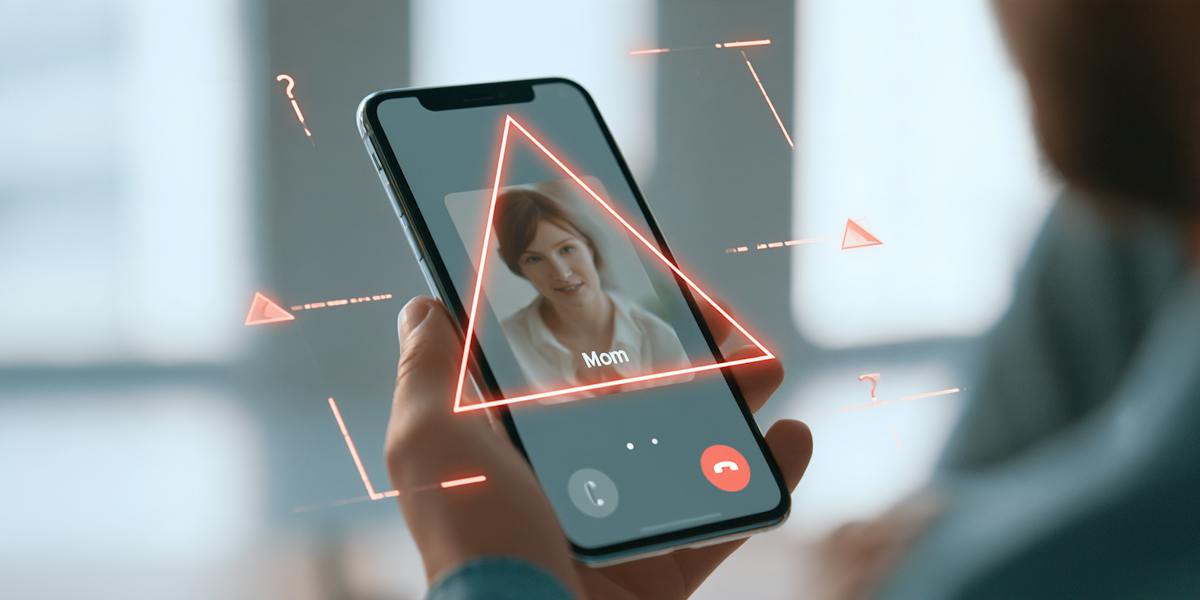
Spoofing is the falsification of identifying information to make a call, email, website, or message appear to come from a trusted source. The phone number, the sender address, the display name, the domain, the web page. All of it can be manipulated to look legitimate. The goal is always the same. Get you to trust what you are seeing long enough to hand over credentials, send money, or click something you should not.
The reason spoofing is particularly effective is that it turns the signals you have been taught to trust into weapons. Recognizing a phone number or a familiar login page used to mean something. It means less than it used to. This guide covers the three most common forms of spoofing, how they differ from phishing, and what to do if you have already interacted with something that turned out to be spoofed.
Key takeaways
- Spoofing means falsifying identifying information so a communication or website appears trustworthy.
- Common forms include caller ID spoofing, email spoofing, and website spoofing.
- Spoofing and phishing are related but different. Spoofing establishes a false identity, while phishing tries to manipulate the target into taking action.
- Do not trust caller ID, sender names, links, or visual branding alone.
- Verify sensitive requests using contact details you find independently, not those in the suspicious communication.
What is spoofing in cybersecurity?
What spoofing describes is the disguise, not the motive behind it. The goal behind any given spoofing attempt could be stealing a password, redirecting a payment, installing malware, or building a profile of personal information to use later. The disguise is just what makes any of those things easier to pull off, because people are far more likely to act on a request that appears to come from their bank, their boss, or a government agency than one that arrives from a stranger.
What is spoofing? It's when a scammer fakes a trusted phone number or email address so the call or message looks like it came from a real company. OmniWatch’s own Kristle Khoury shares the call she got from her "electric company" that turned out to be a scammer using the utility's real number.
What information can be spoofed?
Virtually any identity signal that a person or system relies on for trust can be manipulated, such as:
Caller ID names and phone numbers
Email display names and sender addresses
Reply-to addresses and message-routing headers
Website domains, subdomains, URLs, and page designs
Text-message sender information in some contexts
This article focuses on the three forms consumers encounter most often.
Caller ID
Email
Website spoofing
Why do attackers use spoofing?
People do things for sources they trust that they would never do for a stranger. That is the entire reason spoofing exists.
When a message appears to come from your bank, a government agency, your employer, a vendor you work with regularly, or someone in your family, the instinct to comply kicks in before skepticism does. Attackers know this, and spoofing is how they manufacture that trust artificially.
What they are after varies depending on who is being targeted and how sophisticated the operation is.
Common objectives include:
Obtaining passwords or one-time verification codes
Collecting Social Security numbers or financial account details
Inducing a payment or money transfer
Delivering malicious files or links
Impersonating someone the target knows to exploit an existing relationship
The level of effort behind a spoofing attempt can range from a mass-sent robocall with a spoofed caller ID to a months-long operation that impersonates a specific person convincingly enough to fool people who know them well. The technique is the same. The scale and the target change.
The three main types of spoofing

Spoofing shows up in a few different forms depending on where the attack is happening. The table below breaks down the three most common types by what is being faked, what you actually see, and the safest way to respond if something feels off.
Type | What is falsified | What the target sees | Common objective | Safest response |
|---|---|---|---|---|
Caller ID spoofing | Displayed phone number or caller name | A familiar or local-looking caller ID | Create urgency, obtain information, or induce payment | Hang up and call the organization using an independently verified number |
Email spoofing | Sender name, address, reply-to field, or domain | An email that appears to come from a trusted person or organization | Steal credentials, money, or sensitive data | Do not reply or use embedded links; contact the sender separately |
Website spoofing | Domain, URL, branding, or page design | A site resembling a legitimate login, payment, or support page | Capture passwords, payment details, or personal data | Close the page and navigate through a known app, bookmark, or typed address |
These are not the only spoofing techniques in cybersecurity, but they account for the vast majority of incidents that affect everyday people rather than corporate infrastructure.
What is caller ID spoofing?
How caller ID spoofing works
Calling systems transmit caller-identification data alongside the call itself. Criminals can manipulate that transmitted data so the recipient's phone displays a chosen number or name instead of the actual originating line.
The STIR/SHAKEN framework, required by the FCC for major U.S. carriers, is designed to help authenticate caller ID information by verifying that the calling party is authorized to use a given number.1 When authentication fails or cannot be performed, some carriers may flag the call. However, authentication does not establish that the person speaking is honest or that the request is safe. And the absence of a warning label does not prove a call is legitimate.
Warning signs of a spoofed call
No single sign confirms a call is spoofed, but certain patterns show up consistently. Real organizations almost never need you to act in the next ten minutes, and they will not ask you to keep the call secret from anyone.
Watch for these signs:
The caller demands immediate payment or insists on secrecy.
The caller asks for a password, PIN, or one-time verification code.
The caller requests payment by gift card, wire transfer, cryptocurrency, or another method that is difficult to reverse.
The caller claims to represent an organization but resists independent verification.
The caller uses your name, address, or recent transaction details to seem credible, information that is often available through data breaches or people-search sites
The only callback number comes from the caller, not from an independent source.
A local-looking number on caller ID is not proof of anything. Spoofing one takes very little effort, which is why caller ID alone should never be the sole reason you trust a call.
What should you do about a suspicious caller ID?
End the call without sharing any information.
Find the organization's number on its official website, app, card, bill, or statement.
Call back using that independently obtained number.
If the caller claimed to be a family member or colleague, verify through a separate known channel, such as a text thread, a video call, or an in-person check.
What is email spoofing?
How to tell if an email has been spoofed
These checks can help surface inconsistencies, though no single visual clue is conclusive:
Expand the full sender address rather than relying on the display name alone.
Compare the domain letter by letter with the organization's real domain. Look for transposed characters, added letters, or substituted numbers.
Check whether the reply-to address differs unexpectedly from the sender address.
Treat unexpected password resets, payment requests, invoice changes, or verification-code messages with extra caution.
Preview links without clicking and inspect the destination domain.
If the email is asking you to do something that moves money or changes account details, contact the sender through a separate channel you already trust before acting on it.
Do SPF, DKIM, and DMARC prevent email spoofing?
Three email-authentication standards work together to reduce certain forms of domain impersonation:
SPF (Sender Policy Framework) helps identify which mail servers are authorized to send on behalf of a domain.
DKIM (DomainKeys Identified Mail) uses a cryptographic signature to help verify that a message is associated with a domain and has not been altered in transit.
DMARC (Domain-based Message Authentication, Reporting, and Conformance) tells receiving systems how to handle messages that fail applicable authentication checks and provides reporting to domain owners.
These controls are valuable but not a complete solution. Lookalike domains, where an attacker registers a domain that closely resembles a legitimate one, bypass these checks entirely because the attacker is sending from a real domain, just not the right one. Messages sent from compromised legitimate accounts bypass them too. Authentication reduces risk without eliminating it, which is why verifying unexpected requests through a separate channel matters even when an email passes all the technical checks.
What is website spoofing?
What does a spoofed URL look like?
Spoofed URLs use several tricks to appear legitimate.
Character substitution: Replacing a lowercase "l" with a "1" or an "o" with a "0" can be nearly invisible at normal reading speed. "paypa1.com" instead of "paypal.com" is a classic example.
Added words around the brand name: Inserting words like "login," "secure," or "verify" before or after a brand name makes the URL look official while changing the actual domain. "login-yourbank.com" is not the same as "yourbank.com."
Misleading subdomains: A URL like "yourbank.account.example.com" looks like it belongs to your bank, but the actual domain is example.com. Everything to the left of the real domain is just a subdomain the attacker controls.
Unexpected top-level domains: If an organization uses ".com" and the link ends in ".net," ".info," or a country code, that is worth pausing on.
Shortened links: Services like bit.ly or tinyurl hide the destination entirely. Hover over a shortened link before clicking to preview where it actually goes, or use a link expander to check it first.
Mismatched link text: The visible text in an email or message might say one URL while the actual underlying link points somewhere completely different. Always check where a link actually goes before clicking, not just what it says.
Does HTTPS mean a website is legitimate?
No. HTTPS encrypts data between a browser and a website, but it does not prove that the organization operating the website is trustworthy. Deceptive sites can and do obtain TLS certificates. The padlock icon indicates an encrypted connection, not that the site's claims or identity are legitimate.
How to check if a website is real
Do not use the link from the suspicious call, email, or text message.
Open the organization's official app, use a saved bookmark, or type a known address directly into the browser.
Examine the entire domain carefully, not just the page's logo or headline.
Be cautious if the site requests information the real organization would not normally need at that step.
If a password manager does not recognize a login page it normally fills, treat that as a warning signal;though not definitive proof on its own.
Contact the organization through an independently verified channel if uncertainty remains.
The difference between spoofing and phishing

Spoofing is the act of disguising the source or identity of a communication or website. Phishing is an attempt to manipulate someone into revealing information, opening a malicious file, visiting a deceptive site, or sending money. A phishing attack may use spoofing to appear credible, but the terms are not interchangeable.
Term | What it describes | Example |
|---|---|---|
Spoofing | A falsified identity or source | A call displays a bank's phone number |
Phishing | A deceptive attempt to obtain action or information | A message directs the recipient to a fake bank login |
Spear phishing | Phishing tailored to a particular person or organization | An email impersonates a recipient's manager and references their work |
Vishing | Phishing conducted through voice calls or messages | A caller impersonates fraud support and requests a verification code |
What to do if you responded to a spoofed call, email, or website
The appropriate response depends on what happened. If you received a suspicious communication but did not interact with it or share any information, blocking the sender and reporting the attempt may be sufficient. If you disclosed credentials, financial information, or identity data, immediate action is appropriate.
If you entered a password
Change the password immediately through the service's official app or by typing the known website address directly into your browser.
Change it anywhere else you used the same or a similar password.
Enable multifactor authentication where available. (MFA adds a layer of protection, though it is not foolproof.)
Review active sessions, recovery email addresses, phone numbers, and recent account activity.
Contact the service provider if account access or settings have changed without your authorization.
If you shared financial information or sent money
Contact your bank, card issuer, or payment provider through an official channel. Use the number on the back of your card or on your official financial statement.
Explain that the transaction or disclosure resulted from suspected impersonation.
Follow the provider's instructions for securing the account and disputing unauthorized activity.
Monitor transactions and enable account notifications.
Recovery of funds is not always possible, particularly with wire transfers, cryptocurrency, or gift cards.
If you shared a Social Security number or other identity data
When a Social Security number or other government-issued identity information has been exposed, the risk extends beyond a single account. These are the steps you should take:
Preserve evidence, such as screenshots, phone numbers, email headers, URLs, and transaction records.
Review your credit reports and consider placing a fraud alert or credit freeze.2
Monitor credit and identity-related activity closely in the weeks and months that follow.
Change compromised account credentials.
Report identity theft through appropriate government and financial channels.
Seek restoration assistance if identity misuse occurs.
So what should you do if you think you have already interacted with a spoofed call, email, or website?
A spoofed communication that persuaded you to share personal or financial information can quickly become an identity theft problem. Change any passwords that may have been exposed, contact your bank if financial details were involved, and report the incident to the FTC at reportfraud.ftc.gov.3
Stay safe with identity theft protection
OmniWatch provides dark web and Social Security number monitoring, identity theft protection with up to $4 million in identity theft insurance,* and restoration support to help resolve identity theft.
Learn more about OmniWatch identity theft protectionWhere to report spoofing attempts
Reporting a spoofing attempt will not always result in direct resolution, but it contributes to the pattern recognition that helps providers and authorities act on larger operations. If you received a spoofed call, email, or encountered a fake website, here is where to send it:
The impersonated organization — so it can warn other customers and investigate
Your email, phone, browser, or hosting provider — most offer built-in reporting tools
Your bank or payment provider — if money or financial data was involved
Government reporting channels — in the United States, the FTC, the FCC, or the FBI's IC3 depending on the nature of the incident6
How can you reduce your risk from spoofing?

Spoofing cannot be entirely eliminated, but these practices can help reduce the chance of a successful attack:
Use an identity-protection service such as OmniWatch,4 which combines scam detection, dark‑web and Social Security number monitoring, and restoration support.
Verify sensitive requests through a separately sourced phone number, app, or website, never through the contact information in the suspicious message itself.
Use unique passwords for every account and manage them with a password manager.
Enable multifactor authentication on email, banking, and other high-value accounts.
Keep browsers, devices, and email apps updated so security patches are current.
Never share verification codes with incoming callers or messages. Legitimate organizations do not ask for codes they sent you.
Teach family members to pause when a caller creates urgency or demands secrecy.
Monitor financial, credit, and identity-related activity, especially after personal data has been exposed.
Establish a family verification phrase or a separate callback process for urgent requests. This is particularly important as AI voice cloning becomes more accessible.
Secure your home Wi-Fi as part of broader household security, though this does not directly prevent caller ID or email spoofing.
Do not trust identity signals by themselves
What is spoofing in simple terms?
Spoofing is the falsification of identifying information so a call, email, message, or website appears to come from a trusted source, often to make scams or fraudulent requests look legitimate.
Is spoofing the same as phishing?
No. Spoofing disguises the source or identity; phishing uses deception to get someone to reveal information or take action, and phishing often uses spoofing to appear credible.
Can someone spoof my phone number?
Yes; caller ID can be manipulated so another person's number appears on your phone, but that display alone doesn't prove the spoofer accessed your account; investigate unexplained account activity with your carrier.
Can I tell who really called from a spoofed number?
Usually not from caller ID alone. End the call and contact the person or organization using a number from its official website, app, card, statement, or another source you already trust.
How do I know whether an email address is spoofed?
Check the full sender address, domain, reply-to field, links, and the context of the request, and verify sensitive requests with the sender through a separate, known channel since visual checks can't detect every spoofed or compromised message.
Does the padlock icon mean a website is real?
No. The padlock or HTTPS means the connection to the site is encrypted; it does not prove the site belongs to the organization it claims to represent because deceptive websites can also use HTTPS.
What should I do if I gave personal information to a spoofed website?
Change exposed passwords through the legitimate service, contact financial providers if payment data was involved, preserve evidence, monitor identity and credit activity, and report the incident; consider fraud-alert or credit-freeze options if a Social Security number was exposed. Consider using an identity-protection service such as OmniWatch for ongoing monitoring and restoration assistance.

This guide is published by OmniWatch. Follow OmniWatch on Facebook for ongoing guidance on identity protection, digital safety, and scam awareness.
*Restrictions and exclusions apply, click here to read full details of insurance coverage.
Sources
¹ FCC, Call Authentication. https://www.fcc.gov/call-authentication
² FTC, What To Know About Credit Freezes and Fraud Alerts. https://consumer.ftc.gov/articles/what-know-about-credit-freezes-and-fraud-alerts
³ FTC, Report Fraud. https://reportfraud.ftc.gov/
⁴ OmniWatch, Identity Theft Protection. https://www.omniwatch.com/features/identity-theft-protection/
⁵ FCC, Consumer Complaints. https://consumercomplaints.fcc.gov/
⁶ FBI, Internet Crime Complaint Center (IC3). https://www.ic3.gov/