
 Call us at (877) 892-8249

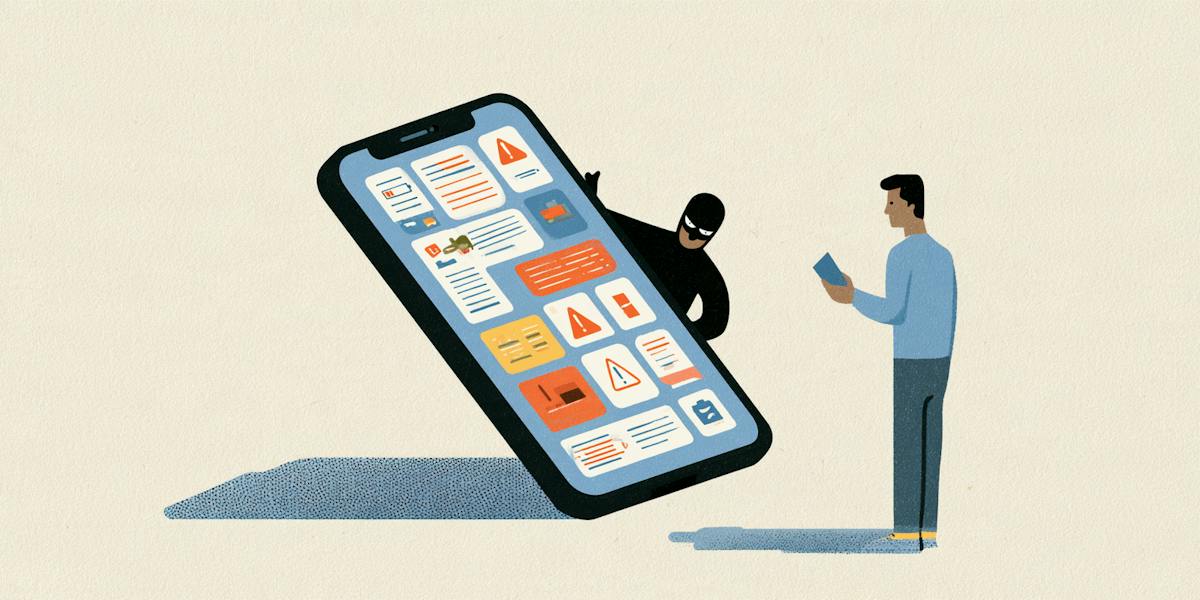
A friend texts to ask why you sent them a strange link last night, and you know you didn’t send anything. Then you notice your phone has been running hot all afternoon, even though it’s been sitting on the counter. It’s natural to start wondering if someone has gotten into your phone.
It’s also hard to know for sure, since a lot of the usual warning signs can have ordinary explanations. The sections below cover ten signs to look for, what else might be causing them, and the steps to take, in order, if you think your phone has been compromised. Hacked phones are often caused by malware, and knowing the signs is one of the most practical online safety tips you can keep in your back pocket.
Key takeaways
- One strange symptom rarely means your phone is hacked, but several at once are worth taking seriously.
- Signs tied to your accounts, like messages you didn’t send, login alerts, and surprise verification codes, matter most.
- Battery drain and overheating often have everyday causes, like an aging battery or an app running in the background.
- Change your passwords from a separate device first, since anyone with access to your phone may also be able to see what you type on it.
- Losing service out of nowhere can be a sign someone moved your number to a new phone, so contact your carrier right away.
- Your carrier may be able to add extra protection to your number, like a PIN or a lock that blocks it from being transferred.
10 warning signs your phone is hacked
Battery drains much faster than it used to.
The phone runs hot when you aren't using it.
Apps you didn't install appear, or settings change on their own.
Data usage jumps without a clear reason.
Constant pop-ups or ads, or a browser home page that changed.
Messages or posts you didn't send. The FTC lists emails you didn't write and social media messages you didn't post among the signs of malware.1
Login or password-reset alerts you didn't request.
Unfamiliar charges on your bank, card, or app store accounts.
The phone is slow or crashes more than usual.
You lose service unexpectedly, or you get texts with verification codes you didn't ask for.
What Else Could Explain These Signs?
Plenty of these have everyday causes. An older battery, a big app update, a weak signal, a nearly full phone, or a game left running in the background can all drain your battery and make your phone warm. That’s why one sign on its own doesn’t tell you much.
The signs that deserve the most attention are the ones tied to your accounts. Messages you didn’t send, login alerts you didn’t request, verification codes you didn’t ask for, and charges you don’t recognize all suggest someone else may have access. That access could come from malware on your phone, a password that was stolen or reused, or a scam that tricked you into sharing information.
What a hacker can do with your phone
Once someone has access to your phone or your accounts, they can read your messages, see the verification codes sent to you, get into your email, and log in to your banking or payment apps. They can also message your friends and family while pretending to be you, often asking for money or sending them harmful links. If they collect enough personal details, they may even try to open accounts in your name, so it helps to know the early signs of identity theft.
What to do if you think your phone is hacked
Switch to a different device if you can. If someone has access to your phone, they may be able to see what you type on it.
Change your passwords, starting with your email, then your banking and mobile carrier accounts, and turn on two-factor authentication. The FTC recommends this in case malware gave someone access to your accounts.
Update your phone’s operating system and apps to close any security gaps.
Delete apps you don’t recognize, and look closely at which apps have access to things like your messages, camera, or location.
Run a scan with a security app you trust, if one is available for your phone.
Review your accounts for unfamiliar logins, email forwarding rules, and linked devices, then sign out of all sessions.
Call your bank or card issuer if you spot charges you don’t recognize.
Contact your mobile carrier. Tell them what’s going on and ask about extra protection for your number, like a PIN or a port-out lock.
Back up what matters and consider a factory reset if the problems keep coming back.
Report it to the FTC.
Check a message before you tap
A lot of phone hacks start with one text or link that looks harmless. Share a suspicious message with OmniWatch Scam Protection to see if it looks like a scam before you tap, reply, or sign in.
Scam ProtectionHow to protect your phone from being hacked
Most phone hacks start with something small, so everyday habits go a long way. Keep your phone updated, install apps only from the official app store, use a strong passcode, and give every account a unique password with two-factor authentication. Be especially wary of texts that pressure you to act quickly, and of fake virus pop-ups that claim your phone is infected. Some attacks go further and lock your files for ransom, so it’s worth understanding how ransomware works too.
If any of your personal information may have been exposed, learn how to report identity theft, and use the FTC’s IdentityTheft.gov² to get a personal recovery plan.
Check a suspicious message with OmniWatch

A lot of phone hacks start with a single text or link that looks harmless enough to tap. If a message makes you hesitate, OmniWatch members with scam protection can run it through the AI Scam Checker and see it labeled as likely safe, unverified, likely spam, or a scam. It doesn’t scan your incoming texts automatically, since your carrier controls how texts are delivered, so you’ll need to share the ones that look off yourself.
Frequently asked questions
How do I know if my phone is hacked?
Look for several signs together: unfamiliar apps, fast battery drain, a hot phone, messages you didn't send, login alerts you didn't request, and charges you don't recognize. One symptom alone often has an ordinary cause. Signs that involve your accounts are the most serious.
Can someone hack my phone with my phone number?
Someone can try to take over your number through a scam on your carrier, which can let them receive your texts and verification codes. Ask your carrier about a PIN or port-out lock, use authenticator apps instead of text codes where possible, and watch for unexpected loss of service.
What should I do first if my phone is hacked?
Use a different device to change your passwords, starting with email and financial accounts, and turn on two-factor authentication. Then update the phone, delete unfamiliar apps, run a scan, check your accounts for unfamiliar logins, and report scams to the FTC at ReportFraud.ftc.gov.
Does a factory reset remove a hacker?
A factory reset often removes malware from the phone, but it won't undo account access the hacker already has. Change your passwords and turn on two-factor authentication too. Back up photos and contacts first, and be careful about restoring apps from after the problem began.
Can iPhones be hacked?
Yes, though attacks usually rely on tricking you or on stolen account passwords rather than traditional viruses. Keep the system updated, use only the official app store, protect your Apple account with a strong password and two-factor authentication, and be wary of links and unfamiliar profiles.

This guide is published by OmniWatch. Follow OmniWatch on Facebook for ongoing guidance on identity protection, digital safety, and scam awareness.
Sources
1. Federal Trade Commission, "Malware: How To Protect Against, Detect, and Remove It". https://consumer.ftc.gov/articles/malware-how-protect-against-detect-and-remove-it
2. Federal Trade Commission, IdentityTheft.gov. https://www.identitytheft.gov