
 Call us at (877) 892-8249

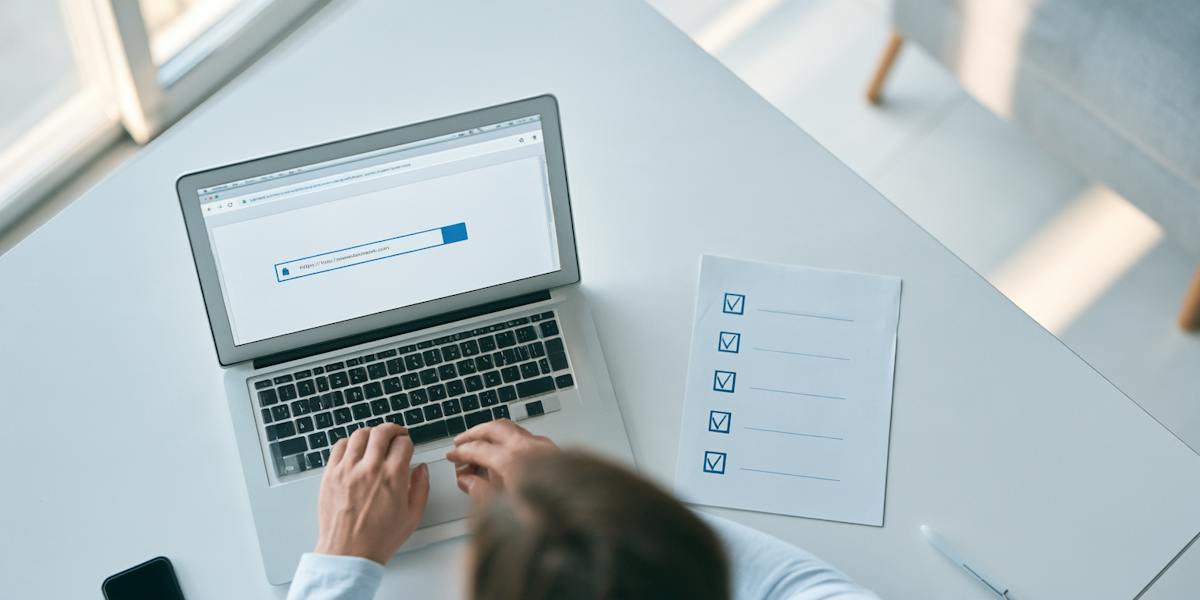
“Your package is on hold—tap here to confirm your address.” If a text like that has ever stopped you mid-errand, you’re in good company.
The Federal Trade Commission (FTC) points to a study showing text open rates as high as 98%, and scammers build their messages around that habit1. A Quick Response (QR) code on a parking meter can work the same way. One tap or scan can take you to a fake sign-in page or put software on your phone that steals your information.
It’s wise to pause and ask whether a link or URL (web address) is safe. Below, we’ll walk you through what to check, then cover what to do if you already clicked and where to report a scam. You’ll also see how the OmniWatch scam checker analyzes the links and messages you submit.
Key takeaways
- Start with who sent it, since an out-of-the-blue message with a deadline deserves suspicion
- Study the address, because tiny changes are easy to miss
- Preview where a link goes before you open it
- A free link scanner gives you a decent second opinion, and it never needs your personal information
- The company’s own site or app is a safer place to check than any link in a text or email
Is this link safe?

A link is safe only when you know who sent it and where it leads. Scammers copy logos and company names, so a fake message can pass for one from a business you trust.
The five checks below show you how to check if a link is safe in about a minute, and each one gives you a clearer picture before you tap.
Check 1: Who sent it, and were you expecting it?
A text from an unknown number, a company you don’t use, or someone pressing you to act fast should make you pause. This kind of scam text is smishing, the text-message version of phishing (scams that trick you into sharing personal information).
Fraudsters want you to react before you think, and the FTC says legitimate companies won’t ask for account information by text2. So if a message asks you to confirm account details and you weren’t expecting it, treat it as a warning sign. The same goes for email, where a familiar name can still sit on a stranger’s address.
If you never drive on toll roads, that’s an easy giveaway. If you do, check with the toll agency directly before you pay.
Check 2: What does the address really say?
Criminals behind phishing messages are hoping you won’t look closely. So they send addresses that are almost right, like one with a swapped letter, an extra word, or the wrong ending. A government site that ends in .com when it should end in .gov is a classic.
Suppose your bank’s official address is yourbank.com. Flip two letters, and you get yourbnak.com, an easy one to read past. Scammers also like adding official-sounding words, so yourbank-secure-login.com can look convincing even though it isn’t your bank’s address. And a changed ending, like yourbank.co, works the same way when you’re in a hurry.
Shortened links are trickier, since the address hides where you’ll end up. And don’t count on a lock icon or https to tell you a site is safe. The Federal Bureau of Investigation (FBI) cautions that scam sites can have both to look trustworthy4.
Check 3: How do you preview a link without opening it?
Here’s how you can preview a link without opening it, depending on your device:
On a computer, hover your mouse pointer over the link without clicking. The full web address pops up, usually in the lower-left corner.
On a phone, press and hold the link until a box shows the address and a Copy option.
With a QR code, read the address your phone shows before you tap it. (Fraudsters hide harmful links in QR codes, and this QR code scam guide explains how.)
Once you can see the address, check it for the red flags from Check 2.
How exposed is your personal information? Take our free risk quiz to see where your data may be exposed online.
Check 4: Should you use a free link scanner?
A free link scanner can give you a quick second opinion. You paste in a link, and the tool checks it against lists of known unsafe websites.
Google’s Safe Browsing site status and VirusTotal are two free examples, and VirusTotal runs each link past more than 70 security scanners6. No scanner catches everything, though, so a clean result doesn’t prove a link is safe.
Check 5: Can you go to the official site yourself instead?
Scammers write the links and phone numbers in their messages, so only trust the ones you find yourself.
Open the company’s app, or type its web address into your browser, and look for the same notice there. A text saying your bank flagged a charge is a good test. Open your banking app instead; if no alert shows up, you have your answer. The same habit works for delivery and shopping texts, and OmniWatch’s USPS texts scam check and Amazon texts scam check outline the red flags for each.
If you’d rather talk to someone, call the phone number on a recent statement, not the one in the message.
Stay safe with scam protection
OmniWatch’s scam protection includes a scam checker inside the
View PlansLike any scanner, it works best as one more check alongside the others.
What if you already clicked?
First, take a breath, because clicking alone doesn’t always cause harm. Close the page and don’t enter anything, such as a password, credit card number, or Social Security number. A link can sometimes download harmful software, so run a scan with your security software as a precaution.
If you already entered your password, change it right away, and change it anywhere else you use it. Then turn on two-step sign-in (also called two-factor authentication), which asks for a code or PIN along with your password. IdentityTheft.gov lists the steps to take after you share a card, bank account, or Social Security number.
Paid a scammer? Call your bank or the company that issued your card and tell them what happened. Your money might already be gone, but it’s always worth asking. Then report the scam to the FTC at ReportFraud.ftc.gov, and forward the text to 7726 (SPAM) so your wireless provider can block similar messages.
To see how other common scams work, browse OmniWatch’s scam guide hub.
Frequently asked questions
Is a link with https safe?
No, a link with https isn’t safe by itself. The “s” only means the site scrambles the data you send, and criminals can add it to fake sites too.
Can a link infect my phone?
Yes, a link can infect your phone with harmful software. The FTC says some scam texts install it to steal personal or financial information without you noticing. Ignore the link if you weren’t expecting the message.
Is a shortened link dangerous?
A shortened link can be dangerous because it hides where it leads, and scammers use that to cover up fake sites. You can preview many short links first, such as by adding a plus sign to the end of a Bitly link. A link expander (a tool that shows where a short link goes) also helps.
Can I check a link without clicking?
Yes, you can check a link without clicking it. On a computer, hover over it to see the full address, and on a phone, press and hold it. You can also paste it into a link scanner (a tool that checks whether a link looks unsafe).
Should I reply STOP to a scam text?
No, don’t reply STOP to a scam text. The FTC says even a simple reply confirms your number works, which could bring more scam calls and texts7. Delete the text and report it instead.
What if the link came from a friend?
If a link came from a friend, confirm it with them before you click, because hackers may have taken over their account. Fraudsters can use a hacked account to send contacts links or fake requests for help or money8. Call your friend or contact them another way instead of replying to the message.

This guide is published by OmniWatch. Follow OmniWatch on Facebook for ongoing guidance on identity protection, digital safety, and scam awareness.
*Restrictions and exclusions apply, click here to read full details of insurance coverage.
Sources
Federal Trade Commission, “Is that unexpected text a scam?"
Federal Trade Commission, “How to Recognize and Report Spam Text Messages.”
Federal Trade Commission, “New trends in reports of imposter scams.”
Federal Bureau of Investigation, “Cyber Actors Exploit 'Secure' Websites In Phishing Campaigns.”
Federal Trade Commission, “That text about a traffic violation is probably a scam.”
VirusTotal, “How it works.”
Federal Trade Commission, “Why it’s not rude to ignore “hi, how are you?” text messages from strangers.”
Federal Trade Commission, “How To Recover Your Hacked Email or Social Media Account.”