
 Call us at (877) 892-8249
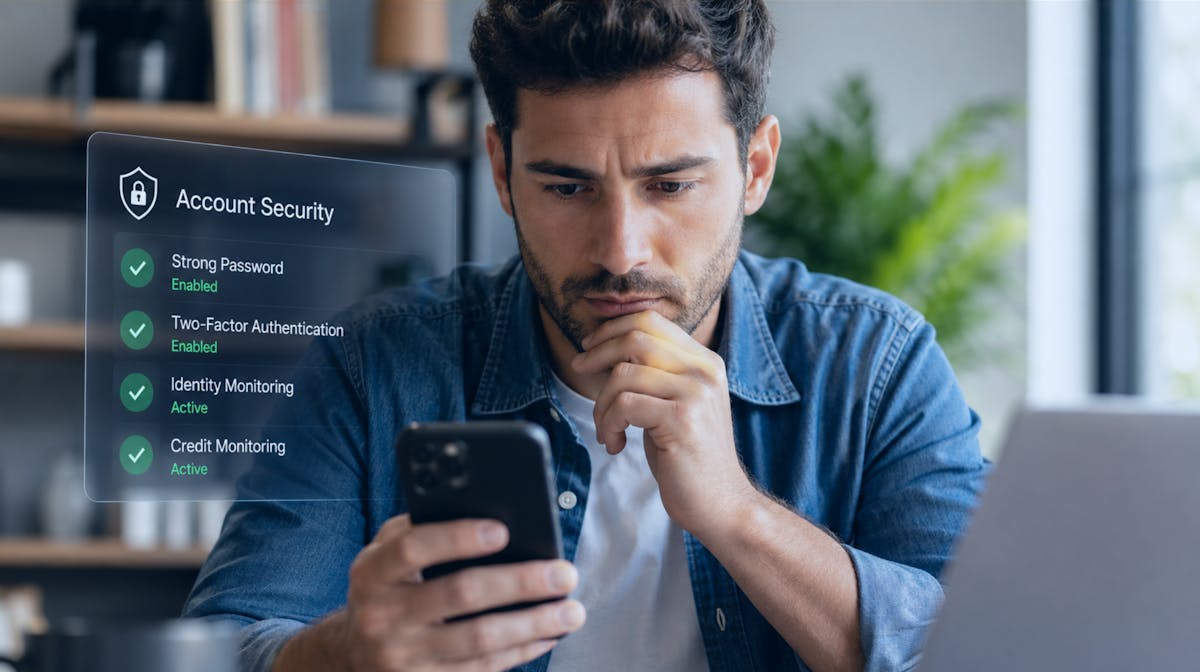
Learning how to protect your personal information online is an important part of online safety and online security. Personal data can be exposed through oversharing, weak passwords, compromised accounts, data breaches, malicious apps, phishing, and ordinary websites that collect more information than users realize.
Protecting yourself does not mean disappearing from the internet. It means reducing unnecessary exposure and making it harder for someone to misuse the information that is available.
Personal information is valuable, and it is constantly under threat. Every time you create an account, fill out a form, or connect to a public Wi-Fi network, data about you moves through systems that can be accessed, intercepted, or breached. The FTC received more than 1.1 million identity theft reports in 2024, and consumers reported losing $12.5 billion to fraud that same year.
Those numbers make one thing clear: awareness of the problem is no longer enough. Protecting your personal information requires deliberate, layered action.
This guide covers the most effective steps you can take, from basic account security practices to identity monitoring and breach response. Whether you are starting from scratch or looking to strengthen existing habits, the goal is a practical foundation you can actually act on.
How can you protect your privacy on the internet?
If you’re asking how can you protect your privacy on the internet, start by reviewing what information you make public.
For example, a social-media profile might reveal your full birthday, employer, hometown, family members, pet names, and travel plans. Each detail may seem harmless by itself, but together they can help a scammer impersonate you or answer account-recovery questions.
Some of the best online privacy practices include:
Make social profiles private where appropriate.
Remove old information you no longer need to share.
Use unique passwords.
Enable multifactor authentication.
Review app permissions.
Keep software updated.
Avoid posting sensitive documents or identification.
These steps support how to protect your privacy online, how to protect online privacy, and protect privacy online without requiring you to stop using online services entirely.
How do you protect personal information online?
People asking how do I protect my personal information online, how to secure personal data online, or how to protect your data online should think about both what they share and where they share it.
For example, suppose you receive a text from someone claiming to be your bank. They ask you to “verify your identity” by replying with your Social Security number. Even if the message looks legitimate, sensitive information should not be sent through an unexpected text.
Instead, contact the bank using its official app, website, or a phone number you already know.
Another useful habit is data minimization. If an app asks for access to your contacts, location, microphone, and photos, ask whether those permissions are actually necessary for the app to work.
The less information unnecessarily exposed, the less information there is for someone else to misuse.
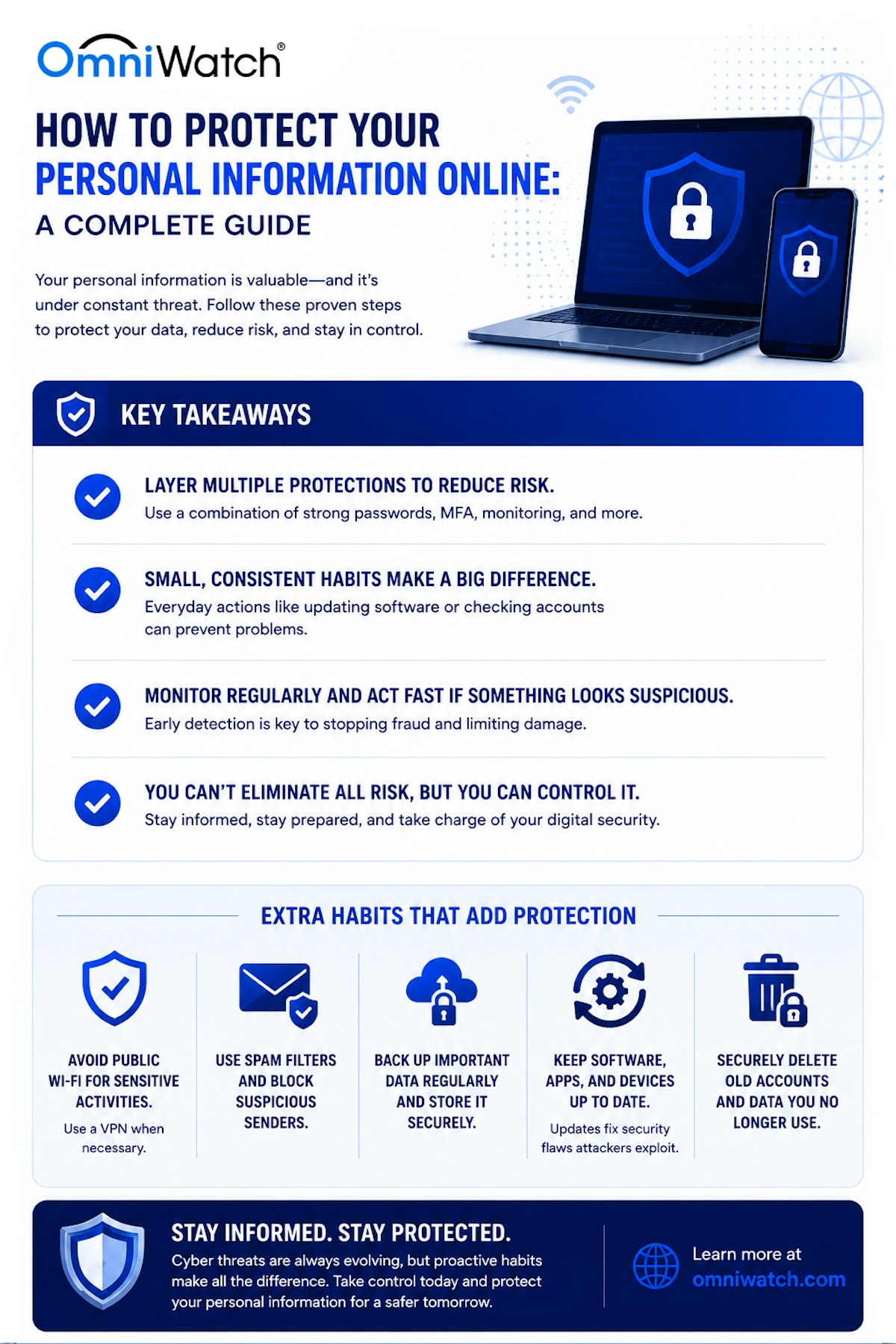
So, protecting personal information online requires a combination of strong authentication practices, careful data-sharing habits, software hygiene, and continuous monitoring for signs of exposure. No single step eliminates all exposure, but layering multiple protective measures significantly reduces the likelihood of a successful attack and limits the damage if one occurs.
Key takeaways
- Use strong, unique passwords for every account and store them with a password manager.
- Enable multi-factor authentication (MFA) on every account that supports it.
- Review your privacy settings on social media, browsers, and connected devices regularly.
- Monitor your credit and financial accounts for signs of unauthorized activity.
- Freeze your credit at all three major bureaus if you are not actively applying for credit.
- Use dark web monitoring to detect whether your personal data has been exposed in a breach.
- Be skeptical of unexpected emails, texts, and calls asking for personal or financial information.
- Keep software and operating systems up to date to close known security vulnerabilities.
What is online privacy?
What is online privacy? It is the ability to understand and influence how information about you is collected, used, stored, shared, and exposed on the internet.
Online privacy and security overlap, but they are not identical.
For example, a social network may have strong technical security and still collect large amounts of information about user behavior. That is a privacy issue rather than necessarily a security failure.
Likewise, if someone steals your password and enters your account, that is primarily a security problem that can also become a privacy problem.
This is why online privacy protection, online privacy security, and privacy online require both secure accounts and thoughtful data-sharing choices.
Some online privacy services may help identify exposed personal information or submit removal requests, but they should complement—not replace—good everyday privacy habits.
How do you protect your digital privacy?
People asking how to protect your digital privacy, how to protect digital privacy, how to protect internet privacy, or how to protect your private information online should regularly review both accounts and devices.
For example, an old shopping account you have not used in five years may still contain your name, address, phone number, and saved payment information. Closing accounts you no longer use can reduce unnecessary exposure.
Another example of protecting personal information is turning off precise location access for an app that does not need it.
If you’re wondering what is an example of protecting your internet privacy, changing a social-media post from “public” to “friends only” is a simple example. So is removing your birthday from a public profile.
Effective online identity protection is rarely one big action. It is a collection of small decisions that reduce the amount of useful information available to scammers and attackers.
1. Use strong, unique passwords for every account
Weak and reused passwords remain one of the leading pathways into personal accounts. According to the 2025 Verizon Data Breach Investigations Report, stolen credentials were the leading initial access vector in breaches for the second consecutive year, appearing in 22% of all confirmed incidents.2 Microsoft's Digital Defense Report 2025 found that more than 97% of identity attacks are password attacks, and identity-based attacks surged 32% in the first half of 2025 alone.1
A strong password is long (at least 14 characters), uses a combination of uppercase and lowercase letters, numbers, and symbols, and does not appear in any other account. Because memorizing dozens of unique passwords is unrealistic, a password manager is the practical solution. These tools generate and store complex credentials on your behalf, requiring only a single master password to unlock them.
What to do
Use a password manager to generate and store unique credentials for every account.
Change any reused passwords immediately, prioritizing email, banking, and financial accounts.
Never use personal information (birthdays, names, addresses) in passwords.
Change passwords after any confirmed data breach involving your account.
2. Enable multi-factor authentication on every account
- Multi-factor authentication (MFA) adds a second verification step beyond your password, such as a code sent to your phone, a biometric scan, or an authenticator app.
Even if a password is compromised, MFA prevents an attacker from accessing your account without also controlling the second factor.
Not all MFA methods are equally strong. SMS-based codes (text messages) offer meaningful protection over a password alone but can be intercepted through SIM-swapping attacks. Authenticator apps, hardware security keys, and passkeys are more resistant to interception and are recommended for high-value accounts such as email, banking, and anything tied to your financial identity.
What to do
Enable MFA on your email account first. Email is the recovery mechanism for most other accounts, making it the highest-value target.
Use an authenticator app (such as Google Authenticator or Authy) rather than SMS codes where possible.
Enable MFA on financial accounts, social media, and any account with stored payment information.
Consider a hardware security key for accounts that support it.
3. Review and tighten your privacy settings
The default settings on most platforms, devices, and apps are designed to collect as much data as possible, not to protect it. Reviewing and adjusting privacy settings is one of the most underused protective measures available, and it costs nothing.
Social media profiles, in particular, expose far more personal information than most users realize. Date of birth, employer, hometown, phone number, and relationship status are all pieces of data that identity thieves and social engineers can use to craft convincing phishing attempts or answer security questions. Limiting what is publicly visible reduces that surface.
Where to start
Social media: Set profiles to private. Remove or hide your birthday, phone number, employer, and location from public view.
Google and Apple accounts: Review which apps have permission to access your location, contacts, and calendar. Revoke access for anything that does not need it.
Browsers: Disable third-party cookies and use a browser with built-in tracking protection. Consider a privacy-focused DNS provider.
Smart devices: Disable microphone access for apps that do not need it, and review location permissions regularly.
4. Be cautious about what you share online
Every piece of personal information you voluntarily share publicly increases the potential attack surface. Social engineering attacks, including phishing, vishing (voice phishing), and impersonation fraud, rely on exploiting small amounts of publicly available information to make fraudulent contact appear legitimate.
Practical steps
Do not post your phone number, home address, or daily schedule on public-facing social media.
Be cautious about participating in social media trends or quizzes that ask for information often used in security questions (mother's maiden name, first car, childhood pet).
Use unique email aliases for account registrations when possible, to limit the traceability of your primary address.
5. Keep your software and devices updated
Outdated software is one of the most exploitable entry points for attackers. Operating systems, browsers, apps, and firmware regularly receive security patches that close known vulnerabilities. Delaying those updates leaves devices exposed to attacks that specifically target those gaps.
The 2025 Verizon DBIR noted that vulnerability exploitation increased by 34% year-over-year, even as credential-based attacks remained dominant. Attackers actively scan for systems running older software versions and use automated tools to exploit known weaknesses at scale.2
What to do
Enable automatic updates on your operating system, browsers, and mobile apps.
Update router firmware regularly. Many home routers go years without firmware updates, leaving them vulnerable.
Uninstall apps and software you no longer use. Unused applications still receive network traffic and may still contain vulnerabilities.
Replace devices that no longer receive manufacturer security updates.
6. Secure your home network and avoid public Wi-Fi risks
Your home network is the foundation for most of your online activity, and its security directly affects every device connected to it. A poorly secured router or network can allow attackers to intercept traffic, redirect web requests, or access connected devices.
Public Wi-Fi networks carry different risks. Traffic on unsecured public networks can be monitored by anyone on the same network, and rogue access points designed to mimic legitimate hotspots are a common tool for credential harvesting. Sensitive activities such as banking, account logins, and document access should never be performed on public Wi-Fi without additional protection.
What to do
Change your router's default admin username and password immediately after setup.
Use WPA3 encryption on your home network if your router supports it.
Disable WPS (Wi-Fi Protected Setup), which has known vulnerabilities.
Use a VPN when connecting to public Wi-Fi for any sensitive activity.
Set up a separate guest network for visitors and IoT devices.
7. Recognize and avoid phishing attacks
Phishing attacks use deceptive emails, text messages, or web pages to impersonate trusted entities and convince targets to reveal credentials, click on malicious links, or authorize fraudulent payments. Modern phishing campaigns are highly convincing, often incorporating real logos, accurate sender names, and personalized details drawn from public data.
AI-powered phishing tools have made attacks significantly harder to detect. Research indicates that AI-generated phishing campaigns achieve a 42% higher success rate than traditional email-based attacks, and they can be produced at scale with minimal effort.3
Red flags to watch for
Unexpected urgency: messages claiming you must act immediately to avoid account suspension, legal action, or financial loss.
Mismatched sender addresses: the display name looks legitimate, but the actual email domain does not match the organization's official domain.
Suspicious links: hover over any link before clicking to see the actual destination URL. Look for misspellings or unusual subdomains.
Requests for credentials or payment via unexpected channels: banks, government agencies, and employers do not typically request login credentials or payment via email or text.
QR codes in unsolicited messages: QR codes in phishing attempts redirect to malicious sites and bypass link-scanning tools.
8. Monitor your credit and financial accounts
Financial monitoring is one of the most reliable early-warning systems for identity theft. Fraudulent accounts, unauthorized credit inquiries, and unexpected changes to existing accounts can surface days or weeks before a victim notices any direct financial loss. Catching these signals early significantly reduces the cost and complexity of recovery.
Under federal law, every American is entitled to a free credit report from each of the three major bureaus (Equifax, Experian, and TransUnion) every 12 months through AnnualCreditReport.com. Reviewing these reports regularly is a minimum baseline. For more continuous protection, credit monitoring services provide real-time alerts when new accounts, inquiries, or changes are detected.
What to do
Review your credit reports from all three bureaus at least once per year, and more frequently if you suspect exposure.
Monitor your bank and credit card statements weekly. Set up transaction alerts for all accounts.
Watch for credit inquiries you did not initiate. This is often the first sign that someone is attempting to open accounts in your name.
Consider enrolling in a credit monitoring service that delivers real-time alerts on account changes, dark web exposure, and suspicious activity.
9. Freeze your credit
A credit freeze, also called a security freeze, is the most effective single tool for preventing new fraudulent accounts from being opened in your name. When a freeze is in place, lenders cannot access your credit file, which means a thief who has your Social Security number and personal details still cannot open new credit accounts.
Despite being one of the most effective protective measures available, freezes remain underutilized. The Consumer Financial Protection Bureau recommends freezing your credit as a precautionary measure, even if you have not experienced a breach.
What to do
Place a freeze with all three major bureaus: Equifax, Experian, and TransUnion. Each must be done separately.
Keep the PIN or account login for each freeze on file in a secure location.
Consider freezing the credit files of your minor children, which can be targeted in child identity theft schemes.
Lift the freeze temporarily only when needed, and reinstate it promptly afterward.
10. Monitor the dark web for your exposed data
When a company experiences a data breach, the stolen records frequently end up on dark web marketplaces where they are bought and sold by other criminals. Victims often have no idea their information was exposed until they experience fraud directly, sometimes months after the breach occurred.
Dark web monitoring services continuously scan these markets and alert you when your email addresses, Social Security number, phone number, financial account numbers, or other personal identifiers are detected. This early warning gives you time to take protective action, such as changing passwords and placing a credit freeze, before the information is used.
OmniWatch's dark web monitoring scans continuously and delivers real-time alerts when your personal information appears on monitored dark web sources, giving you an actionable window to respond before further damage occurs.
11. Understand your scam protection gaps
Most people assume their bank will cover them if they are defrauded. That assumption has a significant blind spot. Bank fraud protection applies to unauthorized transactions, meaning charges made without your knowledge or consent. Scams work differently: phishing attacks, impersonation fraud, romance scams, and wire transfer fraud trick you into initiating the transaction yourself. Because you authorized it (under deception), most banks classify it as voluntary and will not reimburse you.
The FTC reported that approximately $1.8 billion in fraud losses in 2024 involved bank transfers that institutions declined to reimburse. Standard identity theft insurance from homeowners or renters policy riders typically does not cover these losses either.1
Dedicated scam protection coverage, such as that offered through OmniWatch's scam protection insurance, fills this gap by covering eligible losses from phishing, impersonation, and social engineering attacks, even when you authorized the transaction under false pretenses.
12. Know what to do if your information is compromised
Even with strong protective measures in place, breaches happen. Knowing how to respond quickly reduces the financial and practical damage significantly.
Immediate steps after a breach or suspected theft
Change the passwords on any accounts that may have been affected. Start with email, then financial and banking accounts.
Place a fraud alert or credit freeze at all three major credit bureaus.
File an identity theft report with the FTC at IdentityTheft.gov. The site generates a personalized recovery plan based on the type of theft.
File a local police report if required by creditors or your insurance provider.
Contact your bank and any relevant financial institutions directly to notify them of potential exposure.
Document every step you take, including dates, case numbers, and correspondence. This documentation will be required if you file an identity theft insurance claim.
OmniWatch members who experience identity theft are connected with a dedicated 24/7 identity restoration specialist who manages the recovery process on their behalf, including filing disputes with credit bureaus, contacting creditors, and preparing required documentation. Restoration support is available 24/7 on every plan. Learn more about OmniWatch's identity theft protection coverage.
Frequently asked questions
What is the most important step for protecting personal information online?
Can personal information be fully protected online?
How do I know if my personal information has been leaked?
Is a credit freeze free?
What does identity theft insurance cover?
What is dark web monitoring and do I need it?
Can I remove my information from the dark web?
This guide is published by OmniWatch. Follow OmniWatch on Facebook for ongoing guidance on identity protection, digital safety, and scam awareness.
1 Federal Trade Commission, Consumer Sentinel Network Data Book, 2024
2 Microsoft, Digital Defense Report, 2025
3 Verizon, Data Breach Investigations Report, 2025