
 Call us at (877) 892-8249

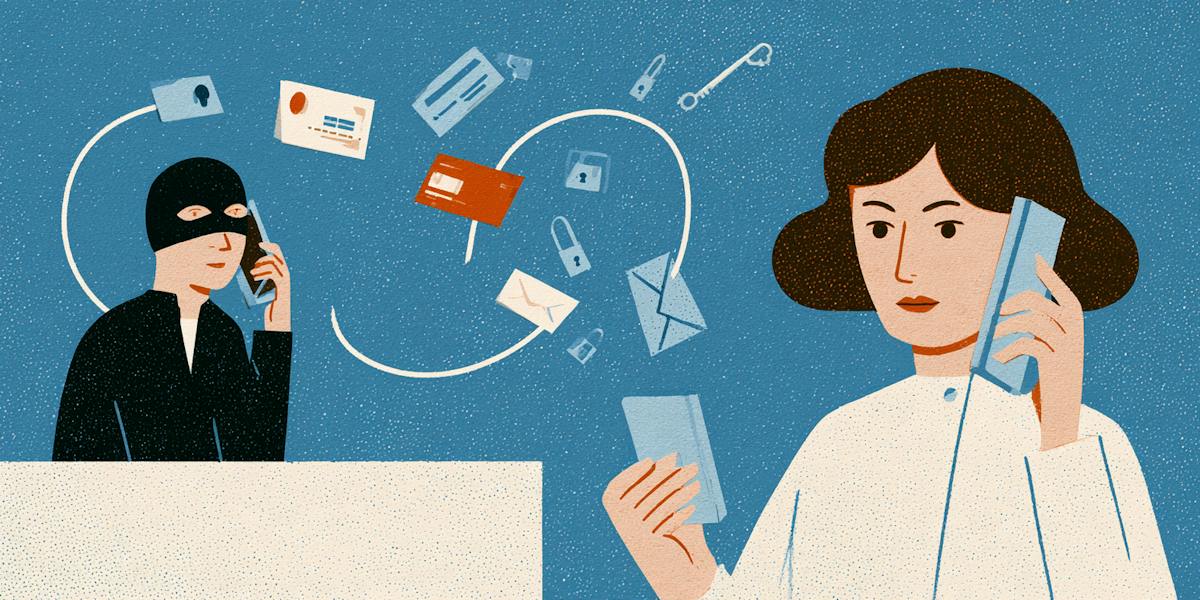
That sinking feeling when you realize the “bank” on the phone wasn’t your bank is awful. But sharing your information isn’t the same as having your identity stolen. Nothing has to be lost yet. What you do next depends on what you gave away, and a few quick steps can limit the damage while you figure out whether anything else has happened.
What did you share, and what to do after being scammed

Some information is riskier to lose than others. If a scammer got your email address, the main thing to expect is more phishing messages, and they’ll probably be more convincing now. If they got your Social Security number or bank details, you have more urgent work to do.
Find what you shared in the table below and start there. If you gave away more than one thing, which is very common, work through each row.
What you shared | What to do first | More help |
Social Security number | Freeze your credit at all three bureaus. If someone has already used your SSN, report it at IdentityTheft.gov2. If you’re not sure, follow the steps at IdentityTheft.gov/databreach3. | |
Driver’s license or a photo of your ID | Contact your state’s motor vehicle agency and ask about a replacement. Keep an eye on any accounts that use a photo ID to verify you. | |
Bank account or card number | Call your bank or card issuer using the number on the back of your card. Ask them to freeze it and send a new one. | |
Password or verification code | Change the password now, plus anywhere else you’ve used it. Turn on two-step sign-in. If you read a code to someone, assume they got in and check your recent activity. | |
Medicare or health insurance number | Call your insurer, or 1-800-MEDICARE (1-800-633-4227) for Medicare. Look over your benefit statements for care you never got. | |
Name, email address, or phone number | Expect more scam messages. The scammer now knows you’ll respond. Lock down your email account first. |
How to lock down your accounts
If a scammer got your password or a sign-in code, changing that one password is a start, but it probably isn’t the finish line. Most of us reuse passwords more than we’d like to admit, and scammers know it. Once they have a working password, they’ll often try it on your bank, your shopping accounts, and your social media accounts to see what else they can access. A sign-in code is even more urgent, since it may mean they’ve already gotten past your login.
That’s why the order matters. Start with your email. It’s where password reset links land, so anyone with access to your inbox has the ability to lock you out of your other accounts one by one, often without you noticing until it’s already done.
Here’s the recommended order to work in:
Secure your email first. Change the password, then check the settings for anything you didn’t add, like a forwarding rule, a new recovery phone number, or a backup email you don’t recognize.
Give every important account its own password. If you reused the password you shared, change it everywhere it lives. A password manager makes this a lot less painful.
Turn on two-step sign-in. An authenticator app is the stronger choice. Codes sent by text are better than nothing, but they’re easier for scammers to intercept. The FTC explains how two-step sign-in works6.
Add a PIN with your mobile carrier. If a scammer has your name and number, they may try to move your number to a new SIM card and catch codes sent to your phone. A carrier PIN makes that much harder. Call your carrier or check your account settings to set one up.
Sign out everywhere else. Most banking, email, and social apps show which devices are logged in. Sign out of anything you don’t recognize.
Already locked out? If the scammer changed your password before you could, go through the account’s official recovery process. The FTC has recovery links for popular email and social media accounts7.
If you think someone is already in your account, use the service’s official website or app to secure it. Don’t click on links from anyone who says they can help you recover access.
For more guidance, see our articles on protecting your personal information online and what to do if your password is found on the dark web.
How exposed is your personal information?
Take our free risk quiz to see where your data may be exposed online.
Take the Risk Quiz
Should you freeze your credit or place a fraud alert?
If a scammer has enough of your information, they might try to open new credit in your name. This could be in the form of a credit card, a loan, or a phone plan, and you might not know until you get a bill or a collections notice months later. Fraud alerts and credit freezes are two free ways to help prevent this.
They aren’t the same thing, though.
A fraud alert acts as a warning on your credit file. It tells lenders to verify that it’s really you before approving anything. A freeze is a lock. Lenders can’t check your credit while it’s in place, so no one can open new credit in your name, not even you, until you remove the freeze.
You can use either one, or both at the same time.
Credit freeze | Initial fraud alert | Extended fraud alert | |
What it does | Blocks anyone, including you, from opening new credit in your name | Tells lenders to verify it’s really you before opening new credit | Same as an initial alert, but longer |
How to place it | Contact all three bureaus: Equifax, Experian, and TransUnion | Contact one bureau, and it notifies the other two | Contact one bureau, with an FTC identity theft report or police report |
How long it lasts | Until you lift it | One year, and you can renew it | Seven years |
Cost | Free | Free | Free |
Which one fits your situation?
If you need to act right now, start with a fraud alert. It takes one call or one online form, and that bureau has to pass it along to the other two. It also lets you request a free copy of your credit report from each bureau, which is a good way to check whether anything has already been opened.
If you shared your Social Security number, go for the freeze. It’s the stronger lock, and it stays in place until you choose to lift it.
If someone has already used your identity, you may qualify for an extended fraud alert, which lasts seven years. You’ll need an FTC identity theft report from IdentityTheft.gov or a police report first.
Plenty of people end up doing both. They place a fraud alert the same day, then set up freezes once they have a few minutes to contact all three bureaus.
What if you also sent money?
Then the clock matters more than anything else. Call your bank, card issuer, or payment app now, before you even finish reading. Tell them a scammer tricked you, and ask them to stop or reverse the payment.
Banks often treat a payment you sent differently from one a scammer sent without you. If a scammer used information you gave them to move money out of your account, federal rules often treat that as unauthorized, and your bank has to investigate. If you sent the payment yourself, even because you were lied to, it may be treated as authorized, and your protections can be a lot thinner. Either way, report it. Let the bank decide which bucket it falls in.
What to do next depends on how you paid.
Credit or debit card. Call the number on the back of your card. Federal law gives you protection against unauthorized charges, especially on credit cards.
Bank transfer or Zelle. Call your bank right away. Here’s more on Zelle scams and your options.
Payment apps. Report it inside the app and ask for a reversal. See what to know about Cash App, Venmo, and Apple Pay.
Wire transfer. Contact the wire company used and say the transfer was fraud.
Gift cards. Call the company that issued the card. Keep the card and the receipt for your records.
Cryptocurrency. Contact the exchange or ATM operator immediately. Crypto is the hardest to recover, but it’s still worth trying.
How to report a scammer or scam
Reporting can feel pointless when you just want your money or peace of mind back. But it does two useful things.
It creates a record you may need later, for a bank dispute or an extended fraud alert.
It helps investigators connect your case to others.
Consumers reported losing more than $12.5 billion to fraud in 2024, according to the FTC8, and those numbers only exist because people reported.
Here’s where to go:
The Federal Trade Commission. This is the main place to report any financial scam.
The FTC’s identity theft site, if someone has used your information. You’ll get an official identity theft report and a personal recovery plan.
The FBI’s Internet Crime Complaint Center, if the scam happened online.
Your bank or payment app, if money or account details were involved.
The platform where it started, like a dating app, marketplace, or social network.
Your state attorney general, which tracks scams in your state.
Your local police, especially if you need a police report for your bank or an extended fraud alert.
How scam reimbursement can help protect you
Getting your money back after a scam isn't always straightforward. If you sent the payment yourself because you believed the scammer’s story, your bank or payment app may treat it differently than a charge someone made without your permission. That’s frustrating, but it’s still worth calling them first. Ask what your options are, and get the answer in writing if you can.
Your bank isn’t the only possible source of help, though. Some identity protection plans include scam reimbursement, which is built for exactly this kind of situation. Standard identity theft protection is usually about someone using your information without you. Scam reimbursement is aimed at the times you were talked into sending money yourself. What counts depends on the plan, what happened, and the coverage terms.
OmniWatch offers scam protection on eligible plans, which may include reimbursement for certain scam-related losses. It’s not retroactive. Coverage starts once your plan is active, so it won’t cover a loss from before you signed up. Restrictions and exclusions apply, and not every loss will qualify.
Stay safe with scam protection
Scams are hard to spot, and it helps to know what protection is available before you need it. Learn more about OmniWatch Scam Protection and check your plan’s terms to see exactly what is covered.
Scam ProtectionYou can learn more about OmniWatch Scam Protection and check your plan's terms to understand what protection is available.
How to keep watching for misuse
The first few days after a scam are for damage control. After that, the job is noticing early if someone tries to use what they took. The good news is that the most useful tools here are often free.
Start with the free options:
Check your credit reports. You can get free reports from all three bureaus every week9. Look for accounts, addresses, or hard inquiries you don’t recognize.
Turn on account alerts. Most banks and card issuers can text or email you about large purchases, new payees, password changes, and logins from new devices.
Leave your credit freeze in place. Lift it only when you need it, for a specific lender, and refreeze afterward.
Look at your Social Security record. If you have a my Social Security account, check it now and then for earnings or benefit changes that aren’t yours.
Signs something is wrong:
Bills, cards, or account statements you didn’t open
Calls from debt collectors about debts that aren’t yours
Your mail suddenly stops arriving, which can mean someone changed your address
A tax return rejected because one was already filed in your name
If you’d rather not keep track of all this on your own, monitoring services can do some of it for you.
OmniWatch offers credit monitoring for people who want an additional way to keep track of changes that may need their attention.
Frequently asked questions
I got scammed. What do I do?
Start by stopping all contact with the scammer. Then figure out what you lost. If you sent money, call your bank, card issuer, or payment app right away and ask them to stop or reverse the payment. If you shared personal information, change your passwords, starting with your email, and place a free fraud alert or credit freeze. Finally, report the scam to the FTC at ReportFraud.ftc.gov.
Is giving my information to a scammer the same as identity theft?
No. Identity theft happens when someone actually uses your information, like opening an account or filing a tax return in your name. Sharing it puts you at risk, but if you act quickly, you can make it much harder for anyone to do that.
What should I do first if I gave my Social Security number?
Freeze your credit at Equifax, Experian, and TransUnion. Then sign in to your my Social Security account to look for changes you didn’t make. If you want an extra layer, call Social Security at 1-800-772-1213 to block electronic access to your record. Just know you’ll need to call to lift it later.
Can I get my money back?
Sometimes. It depends mostly on how you paid and how fast you reported it. Credit cards usually offer the strongest protection. Wire transfers, gift cards, and cryptocurrency are much harder to recover. Contact your bank or payment provider as soon as possible, because every hour can make a difference.
Should I contact the scammer again?
No. Don’t reply, don’t call back, and don’t send more money, even if they promise a refund or threaten you. Some scammers come back pretending to be a “recovery service” that can get your money back for a fee. That’s a second scam.
Do I need a freeze or a fraud alert?
It depends on what you shared. A fraud alert is the fastest first step, since one call covers all three bureaus. A freeze is the stronger choice if you gave out your Social Security number. You can place both, and both are free.
What if I gave a password?
Change it right away, and change it on any other account where you used the same one. Then turn on two-step sign-in, ideally with an authenticator app. If the account is your email, check its settings for forwarding rules or recovery details you didn’t add.

This guide is published by OmniWatch. Follow OmniWatch on Facebook for ongoing guidance on identity protection, digital safety, and scam awareness.
*Restrictions and exclusions apply, click here to read full details of insurance coverage.
SOURCES:
¹ FTC, ReportFraud.ftc.gov. https://reportfraud.ftc.gov/
² FTC, IdentityTheft.gov. https://www.identitytheft.gov/
³ FTC, IdentityTheft.gov: Data Breaches. https://www.identitytheft.gov/databreach
⁴ Medicare, Reporting Medicare Fraud & Abuse. https://www.medicare.gov/basics/reporting-medicare-fraud-and-abuse
⁵ Social Security Administration, How You Can Help Us Protect Your Social Security Number and Keep Your Information Safe. https://www.ssa.gov/pubs/EN-05-10220.pdf
⁶ FTC, Use Two-Factor Authentication to Protect Your Accounts. https://consumer.ftc.gov/articles/use-two-factor-authentication-protect-your-accounts
⁷ FTC, How To Recover Your Hacked Email or Social Media Account. https://consumer.ftc.gov/articles/how-recover-your-hacked-email-or-social-media-account
⁸ FTC, New FTC Data Show a Big Jump in Reported Losses to Fraud to $12.5 Billion in 2024. https://www.ftc.gov/news-events/news/press-releases/2025/03/new-ftc-data-show-big-jump-reported-losses-fraud-125-billion-2024
⁹ AnnualCreditReport.com. https://www.annualcreditreport.com/index.action