
 Call us at (877) 892-8249
This article was created in partnership with OmniWatch, who compensated me for my time and writing services. While they covered the cost of my time, all opinions and recommendations in this article are completely my own.
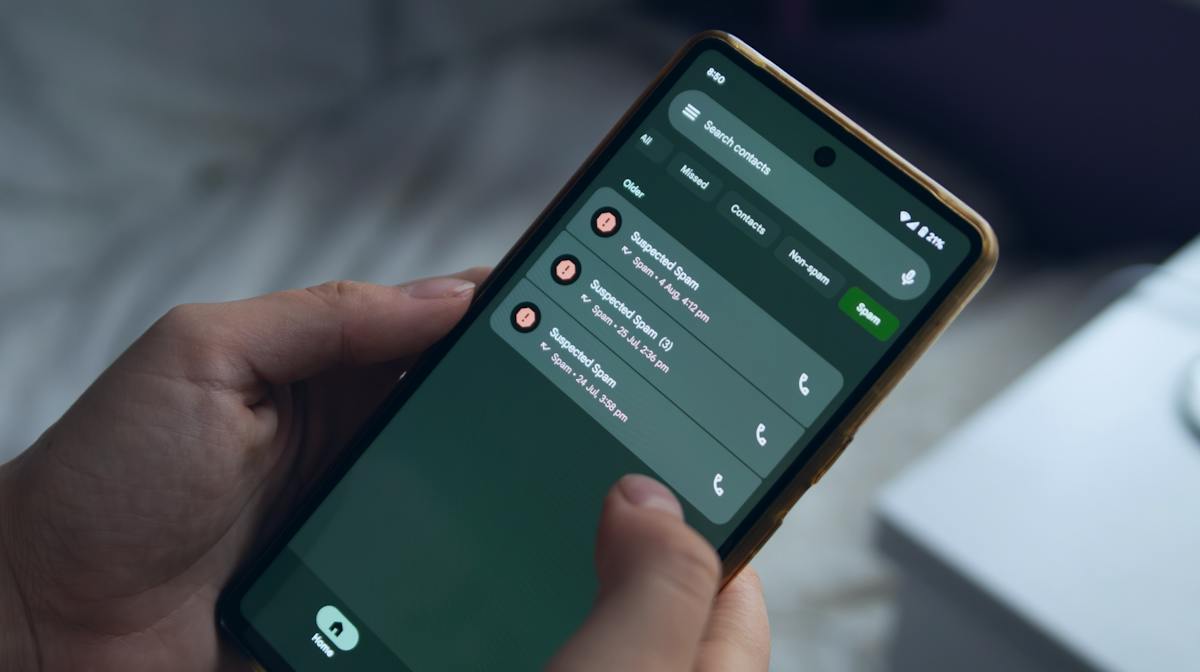
Your phone lights up for the third time before noon. The number looks local, but you don’t recognize it. You let it go to voicemail, and 20 minutes later, it rings again from a different number. If this has become part of your daily routine, you’re not alone in wondering, “Why am I getting so many spam calls?”
Spam calls rarely happen at random. Something usually changes right before they spike. Maybe a company you trusted gets hacked, and your information slips out. Maybe it’s a form you filled out months ago that got sold at some point. OmniWatch was built to help people figure out what’s driving that exposure and get ahead of it before a spam call turns into a scam.
Below, we’ll cover why spam calls ramp up, what helps stop them, and what to do if one turns into a costly situation.
Key takeaways
- A data breach or careless click can put your number on dozens of call lists overnight.
- Answering a call from an unknown number tells scammers they reached a real person, and that’s an invitation to call back.
- Phone settings and registries help reduce spam calls, but they can’t stop someone who was never going to follow the rules anyway.
- If a scammer convinces you to send them money, your bank is unlikely to reimburse you.
- Knowing your name or job title doesn’t make a caller legitimate—it just means they found your data somewhere.
Where did spam callers get your number, and why does it get worse when you answer?
Your number usually ends up on a call list through a data breach, an online form you filled out, or software that dials random digits until something connects. Picking up even once can make things worse, since it tells whoever’s calling that a real person is on the other end. The same exposure often drives spam texts up the same way, just through a different channel.
Was your number exposed in a data breach?
Your number can leak in a few different ways:
A company or app you use gets hacked, and your contact information goes with it.
Your number is listed somewhere public, like an old directory or a social media profile.
A data broker (a company that collects and sells personal information) holding your details gets breached.
You hand your number over on a form for a sweepstakes, a quiz, or a “free quote,” and it gets sold along the way.
Any of these can put your number into circulation without you ever knowing.
The signs your personal information has been leaked include:
A sudden jump in spam calls or texts
Verification codes showing up for accounts you didn’t try to log into
Someone you know says they got a strange text that looked like it came from you
If any of this sounds familiar, start moving your accounts away from text-based codes and toward an authenticator app instead. Call your carrier and ask about putting a PIN on your line. And keep checking your financial statements for anything you don’t recognize.
Why does answering once make it worse?
Picking up tells the system on the other end that the phone number belongs to a real person.
Scammers then mark your number as active, bundle it with other “verified” numbers, and sell or trade it to more scam operations. That explains how one answered call can turn into a steady stream of new ones. Even pressing a button to “opt out” or saying a single word like “yes” can work against you, since scammers sometimes record these calls and use the clip later to fake your voice or approve charges you never agreed to.
Before you say anything, it helps to recognize the signs of a scammer on the line:
They pressure you to act immediately or threaten arrest, fines, or account loss.
They ask you to confirm your name or personal details before saying who they are.
They want payment through gift cards, wire transfers, or crypto.
They won’t let you hang up and call back on an official number.
They already know something true about you, like your address or employer.
How do you stop spam calls?
A few changes to your phone settings and a couple of tools won’t block every call, but can reduce spam calls significantly.
Here’s where to start:
Turn on call silencing. On iPhone, go to Settings > Phone and turn on Silence Unknown Callers. On Android, tap the three-dot menu in your Phone app, go to Caller ID & Spam, and turn on Filter Spam Calls.
Download your carrier’s free security app, like AT&T® ActiveArmor, Verizon® Call Filter, or T-Mobile® ScamShield, for an extra layer of call-blocking.
Register your number at DoNotCall.gov. It won’t stop scammers, but it does reduce calls from legitimate telemarketers.
Stop engaging with unknown numbers. Let unfamiliar calls go to voicemail instead of answering, and never press a number to “opt out.”
What do carrier tools and phone settings do?
Carrier tools operate on your phone’s network before a call reaches your device. They track patterns like unusually high call volume and check whether a caller ID is genuine. Phone settings work locally instead, screening or silencing calls once they’ve already reached your device.
Both work together—one stops calls at the source, while the other gives you the final say.
Does the Do-Not-Call list, or pressing 1 to be removed, stop scam calls?
Not really. The National Do-Not-Call Registry only binds legitimate businesses. And scammers don’t follow the rules to begin with, so registering your number does nothing to stop them. Pressing 1 to “opt out” doesn’t help, either. It just confirms a real person answered, which can lead to more calls instead of fewer.
Filtering and blocking can handle the callers reaching you today. But they can’t do anything about the lists your number is already on, and scammers pull from those lists to place new calls tomorrow, next month, and beyond.
What does the law say about spam calls?
Federal law bans most unsolicited robocalls and requires telemarketers to get your consent before contacting your cell phone. The Telephone Consumer Protection Act (47 U.S.C. § 227) also restricts sales calls to daytime hours (8 a.m. to 9 p.m. in your time zone), and the Truth in Caller ID Act bars caller ID spoofing (faking the number that shows up on your screen). Phone carriers must also verify caller identity using a system called STIR/SHAKEN.
For more on how these rules have evolved, see the Congressional Research Service’s report on robocalls and robotexts.
What is STIR/SHAKEN, and why do spoofed calls still get through?
STIR/SHAKEN is a system phone carriers use to check whether a call is really coming from the number it displays. Each call gets digitally signed by the network it starts on and verified by the network that delivers it, so your phone can flag calls that look fake.
It doesn’t catch everything, though. Some providers don’t enforce it properly, and scammers can legally rent real, verified phone numbers and use them for fraud anyway. STIR/SHAKEN confirms a number is real, but it can’t tell you whether the person calling from it is telling the truth.
What happens if a spam call turns out to be a scam?
Engaging with a scam call can cost you more than a few minutes. It can result in identity theft, financial loss, or a flood of new calls once your number gets flagged as responsive. That’s true whether it’s a fake bank alert or an IRS impersonation call. If you already shared account details or sent money, report it to the FTC and file a complaint with the Federal Communications Commission (FCC) right away.
Will your bank refund money lost to a scam call?
It depends on how the money left your account. If someone stole your card details or broke into your account without your knowledge, your bank generally has to refund you. But if a caller talked you into sending the money yourself, that’s a different story.
Say a caller poses as your bank’s fraud team and convinces you to wire money into a “secure” account. The transfer clears in minutes, and when you call your real bank the next day, they confirm you authorized it, so there’s no fraud claim to file. Once you authorize a payment, it’s treated like cash—hard to trace, and even harder to get back.
That gap, where you authorized the payment because someone lied to get you to do it, is what OmniWatch’s scam protection insurance covers. Depending on your plan, it can reimburse money lost to this kind of manipulation, even when your bank won’t.
How can you check whether a caller is really from your bank?
First, hang up before you answer questions or confirm any details. Scammers can fake caller IDs, so don’t trust it simply because it shows your bank’s name or number. Instead, call back using the number printed on your card or your official statement. If you’re still not sure whether something’s wrong, you can always reach out to OmniWatch’s fraud specialists to sort out a suspicious call before you act on it.
What should you do if the caller knows your real information?
Most spam calls are easy to dismiss. But if a caller says your name, mentions where you work, or brings up a recent purchase, that’s not a coincidence. Someone got that information from somewhere, and now they’re using it to make the call sound legitimate.
Here’s what to do (and not do) if this happens to you:
Do… | Don’t… |
Hang up if the caller pressures you to act immediately. | Assume the caller ID is accurate. |
Verify through a number you look up yourself, on a bill, statement, or the company’s official website. | Confirm details they recite, even to correct them. |
Guard extra details like PINs or verification codes, even if they already know your name or basic information. | Call back using a number the caller gave you. |
Look at your recent bank and credit card activity if you shared anything before you hung up. | Let urgency talk you out of hanging up. |
If you’re not sure how far your exposure goes, take OmniWatch’s risk quiz to see where you stand and what to lock down next.
Frequently asked questions
Does answering a spam call make you get more?
Yes. Picking up tells whoever’s calling that a real person is behind the number, and that gets your line flagged as an active lead worth calling again. Scammers often resell or trade numbers like that to other operations, which is part of why catching a data leak early is worth doing (OmniWatch’s dark web monitoring scans over 900B+ stolen records for signs your information is already out there).
Does blocking spam call numbers work?
Not always. Blocking works against repeat callers using the same number, but scammers often switch to a new spoofed number right after.
Does the Do-Not-Call list stop scam calls?
No, the Do-Not-Call list doesn’t stop scam calls because it only binds legitimate telemarketers. Since scammers ignore it, registering won’t reduce scam calls.
What does “Scam Likely” mean on my phone?
“Scam Likely” is a label your carrier adds when a call matches fraud patterns, like rapid-fire dialing or a failed caller ID check. It’s a guess based on the network’s data, not confirmation of who’s calling.
Is it safe to answer a call from my own area code?
Not necessarily—a matching area code doesn’t mean the caller is nearby or real. Scammers often use software to falsify their caller ID and make a call look local even when it isn’t.

This guide is published by OmniWatch. Follow OmniWatch on Facebook for ongoing guidance on identity protection, digital safety, and scam awareness.
1 Federal Trade Commission, FTC Data Show People Reported Losing $3.5 Billion to Imposter Scams in 2025
2 Stay Safe Online, How Your Phone Number is Exposed: Phone Number Leaks
3 Federal Trade Commission, Phone Scams
4 Federal Trade Commission, How To Block Unwanted Calls
5 Federal Trade Commission, National Do Not Call Registry
6 Consumer Action, The Telephone Consumer Protection Act: Your rights against unwanted calls and texts
7 GovInfo, 47 U.S.C. 227 - Restrictions on use of telephone equipment
8 Federal Communications Commission, Unlawful Communications
9 Federal Communications Commission, Combating Spoofed Robocalls with Caller ID Authentication
10 Federal Trade Commission, Ignore unexpected calls about loans you didn’t apply for
11 Chase, How to identify bank impersonation scams