
 Call us at (877) 892-8249

QUICK ANSWER
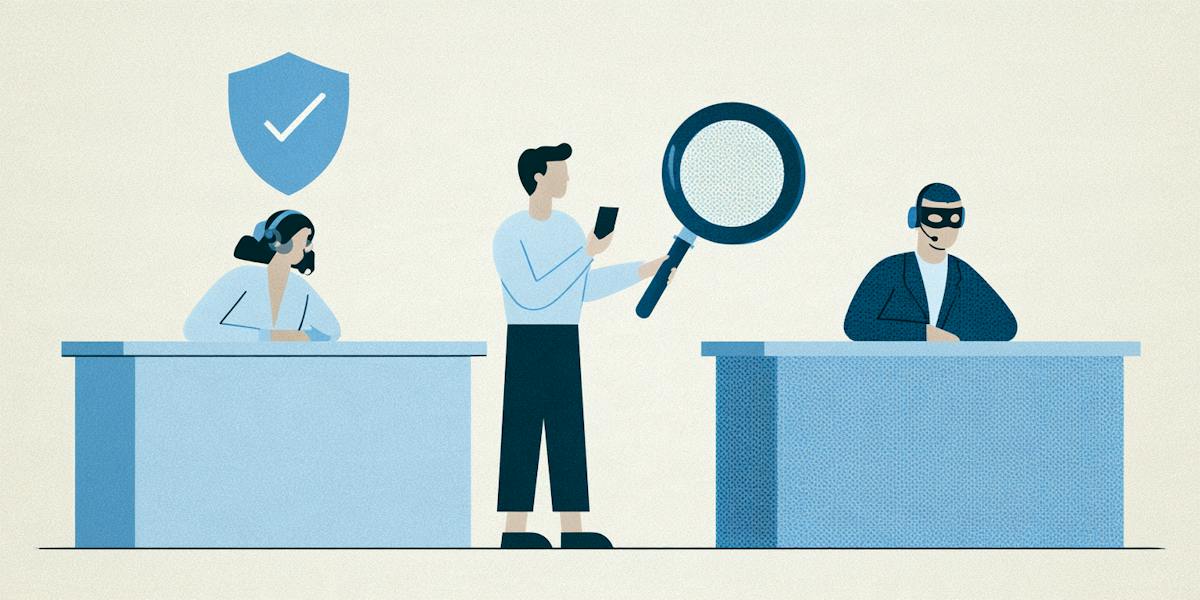
Scammers pay to place fake support numbers in search results and on look-alike help pages, then pretend to be the company when you call. To reach real support for companies like Amazon, PayPal, or Cash App, start with the help section in the company’s official app or website, the number on the back of your card, or the contact details on your account statement. And if anyone on a support call asks for a gift card, your password, or access to your device, hang up.
Key takeaways
- A support number at the top of your search results can still be fake. Scammers buy ad space and build look-alike pages to put their numbers in front of you.
- The safest places to find real contact details are the company’s official app, its website (typed in by you), the back of your card, or your account statement.
- Some companies don’t list a phone number at all and offer chat or email instead. That’s normal, and it’s not a reason to go searching for a number elsewhere.
- Real customer service won’t ask you to pay with gift cards, read off a one-time code, share your password, or install software so they can access your device.
- Be wary of “refunds” that require you to send money back. Overpaying you by mistake is one of the most common stories fake agents use.
- If you already called a fake number, hang up, change your passwords, and call your card issuer using the number on the back of your card.
You were charged twice for the same order, and all you want is to talk to a real person who can fix it. A quick search pulls up a customer service number right at the top of the page, so you call, and someone answers on the first ring sounding friendly and ready to help.
That’s exactly the moment these scams are built around. The FTC¹ has warned that some scammers create fake customer service information for popular companies and pay to have it show up in search results. The person on the line seems helpful at first, then asks you to buy a gift card, share a password, or let them connect to your device to “fix” the problem remotely. It’s one piece of a much larger issue, too. People reported losing $3.5 billion to imposter scams in 2025, according to the FTC.²
The good way around it is knowing where real support information lives, and the sections that follow walk through that for Amazon, PayPal, and Cash App, three companies people often search for help with.
How do scammers fake support numbers?
Fake support numbers don’t just appear in one place. Scammers spread them across search results, websites, social media, and even your own inbox, often using a few of these tricks at once to make the number look legitimate.
Paid search results. Ad space at the top of search results can be bought, and scammers use it to place a fake support number above the real one.³ Because it shows up first, many people assume it’s official.
Look-alike help pages. Some scammers build websites that copy a company’s help center, down to the logo and layout. Everything looks right except the phone number, which connects you to them.
Replies on social media. If you post a complaint about a company online, you may get a reply from an account claiming to be support, telling you to call a number or send a direct message. Real companies rarely ask you to call a number from a random reply.
Spoofed caller ID. Scammers can make a call look like it’s coming from a real company’s phone number, which makes it much harder to tell it’s fake. Here’s how caller ID, email, and website spoofing works.
Unexpected texts and emails. A message warns you about a large charge or a subscription renewal and tells you to call a number to cancel it. The goal is to get you to call them in a panic.
What these tricks have in common is timing. They’re designed to reach you right when you’re already worried about a charge or an order and just want someone to help.
How exposed is your personal information?
Take our free risk quiz to see where your data may be exposed online.
Take the Risk Quiz
Where do real support numbers live?
Skip the search results. Real contact information lives in places the scammer can't easily change, such as:
The back of your card. The best place for a card issuer.
The company's official app. Open the app you already installed and look for the help or support section.
The official website, typed in by you. Type the address yourself, then find its contact or help page.
Your account or statement. Many companies list contact details on statements and account pages.
Product packaging and manuals. The FTC points to these as good sources of real customer service information.
If a company doesn't list a phone number at all, it may offer chat or email instead. That's normal. Don't go hunting for a number somewhere else.4
How to reach real support for Amazon, PayPal, and Cash App?
We don't print phone numbers in this guide, because numbers change and scammers copy them.
Here's the safe route for each.
How to reach real Amazon support
Start in the Amazon app or on Amazon’s website, typed into your browser yourself, and sign in to your account. From there, go to the help or customer service section and choose the issue you need help with. If your question is about a specific purchase, it’s often easiest to start from that order in your order history, since it keeps your details attached. Depending on the problem, you may be offered chat, a callback, or other contact options right on the page.
Texts claiming to be from Amazon are a common starting point for this scam, so it’s worth knowing whether Amazon texts are safe before you reply to one.
How to reach real PayPal support
Sign in through the PayPal app or by typing PayPal’s address into your browser yourself. PayPal says you can find its contact options through the Contact link at the bottom of its website, where you’ll be asked to choose the reason you’re reaching out before seeing ways to get help. Depending on your issue and whether you’re signed in, those options may include sending a message, calling, or using its virtual assistant. In the app, support is typically available through the Message Center.
How to reach real Cash App support
Open the Cash App you already have installed and look for the support option in your profile, or go to the help section of Cash App’s official website. Cash App has said its team typically communicates through the app and by email, and that official emails come from cash.app or square.com addresses.
To understand what kind of protection you have on payments, here’s what to know about Cash App payment protection and whether Cash App is safe overall.
It’s important to note that support options can change over time, so if anything here doesn’t match what you see, go with what the company’s official app or website says.
Red flags on a support call
Hang up if the person:
Asks for gift cards, wire transfers, or crypto. The FTC says no legitimate company asks for these in exchange for customer service help.
Asks for your password or a one-time code. Real support doesn't need them.
Asks you to install software or give remote access to your computer or phone.
Pushes you to act now. Urgency is the scammer's friend.
Offers a "refund" that requires you to send money back. A common trick is to say they refunded too much and you must return the difference.
Called you first. If you didn't ask for the call, treat it as suspicious. Calls like this are called vishing.
What can a fake support agent do with your access and details?
Quite a lot. With remote access, someone can see your screen, your accounts, and your files. With a password or one-time code, they can sign in as you. With your card details, they can make charges. And with your name, phone, and email, they can design follow-up scams that sound convincing.
That's why the fastest fix is acting immediately.
What to do if you called a fake number
Hang up. Don't call back, and don't answer if they call you.
Remove any remote access. If you installed software or let someone connect, uninstall it and disconnect from the internet if you can. If you're unsure, ask a trusted person or a reputable support option to help.
Change passwords. Start with email and financial accounts, and turn on multi-factor authentication.
Call your card issuer with the number on the back of your card, and ask about freezing or replacing it.
Check your accounts. Look for charges, new payees, and changed settings.
Report it to the FTC. You can also use BBB Scam Tracker.5
If you gave out a Social Security number or other ID, follow the steps in our guide on how to report identity theft (pending).
How to report fake support information
If you came across a fake support number, reporting it is one of the few ways to get it in front of the people who can take it down, and it can keep the next person from calling it.
Start with the place you found it. If the number showed up in a search result, an ad, or a reply on social media, use that site’s reporting option to flag it as a scam. Then let the real company know someone is pretending to be them. Reach out through its official app or website, not the number you called, and share the fake number along with where you saw it. Many companies track these reports to help warn other customers.
Finally, report it to the FTC. Your report helps investigators see which companies scammers are impersonating and how they’re reaching people. Before you file, it helps to grab a screenshot of the listing or message and jot down the phone number, the time you called, and anything the scammer asked you for.
Check a number or message with OmniWatch
Before you call a support number you found in a search result, a text, or a reply on social media, it’s worth pausing to make sure it’s real. If you have an OmniWatch plan with scam protection, you can run the number, message, email, or a screenshot through the AI Scam Checker first. It’ll flag whether it looks likely safe, unverified, likely spam, or a scam, which can help you decide whether to dial or keep looking.
A good result still isn’t proof that a number belongs to the company, though. The most reliable way to reach real support is the one that starts in the company’s own app or website.
Not sure if a message is a scam?
Scammers make fake job offers, package notices, and holiday deals look real. OmniWatch Scam Protection helps you check suspicious texts, emails, and links before you reply.
Explore Scam ProtectionFrequently Asked Questions
How do I find the real customer service number?
Use the company's official app or website, typed in by you, the back of your card, or a statement. Don't trust the first number in a search result. The FTC warns that scammers pay to show fake customer service information. If you can't find a number, look for chat or email.
Why are fake support numbers in search results?
Scammers can pay for placement and create look-alike listings. The FTC says some scammers create fake customer service information for popular companies and pay for it to appear in search results. The listing can look official, so check the company's own app or site instead.
What should I do if I called a fake number?
Hang up, remove any remote access, change your passwords, and call your card issuer using the number on your card. Check your accounts for unfamiliar activity and report the scam at ReportFraud.ftc.gov. No one can promise a refund, but quick action limits the damage.
Will real support ever ask for gift cards?
No. The FTC says no legitimate company will ask you to send gift cards or wire money, or give your password, in exchange for customer service help. If someone does, hang up. The same goes for requests for one-time codes or remote access to your device.
How do I report a fake support number?
Report it to the search engine or platform where you found it, to the company being impersonated through its official contact route, and to the FTC at ReportFraud.ftc.gov. Include screenshots and the number. Reports help investigators spot impersonation and may help others avoid the same trap.

This guide is published by OmniWatch, an identity and scam protection company. Follow OmniWatch on LinkedIn for ongoing guidance on identity protection and digital safety.
Sources
1. Federal Trade Commission Consumer Alert on fake customer service information in search results. https://consumer.ftc.gov/comment/169998
2. Federal Trade Commission, "FTC Testifies Before the Joint Economic Committee on Agency's Efforts to Combat Fraud," March 2026. https://www.ftc.gov/news-events/news/press-releases/2026/03/ftc-testifies-joint-economic-committee-agencys-efforts-combat-fraud
3. MilitaryConsumer.gov (FTC), "Too Close a Call". https://www.militaryconsumer.gov/scam-alerts/too-close-call
4. Michigan State University Extension, "Beware of customer service scams". https://www.canr.msu.edu/news/beware_of_customer_service_scams
5. Better Business Bureau, BBB Scam Tracker. https://www.bbb.org/scamtracker